Aisle Free
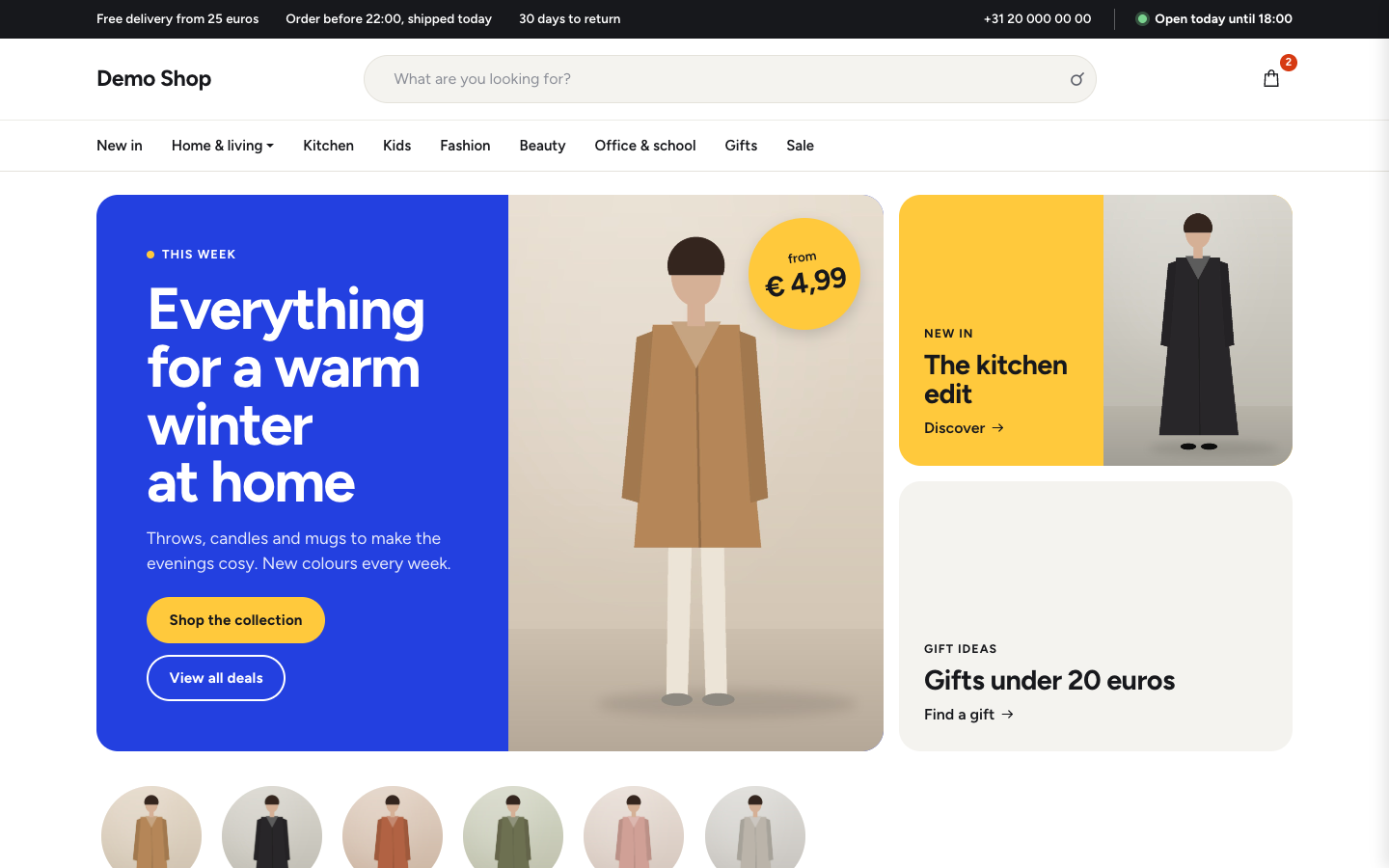
Aisle gives any web shop a cheerful department store look: a campaign hero with a price sticker, round category bubbles, deal bands and product rows that fill themselves from your shop.
About this theme
Aisle is made for web shops that sell a broad range, from home goods and gifts to fashion, toys, beauty or office supplies. It is not tied to one branch: there are no fixed product types, brands or texts in the theme, so it works for a general store as well as a specialist shop with many categories.
The home page opens with a campaign panel in your brand colour, with a photo, two buttons and an optional round price sticker, next to two smaller tiles for a second and third campaign. Below it come your categories as round bubbles or tiles, your USPs, a row of popular products, a deals band in your promotion colour with discount stickers, a category mosaic, new arrivals with category chips and a short story about your shop. Events, reviews, blog posts, app posts, your store with opening hours and a newsletter sign-up are available too. Products, categories and posts come straight from your shop, and every section hides itself when there is nothing to show.
The header has a wide search field in the middle, the account and cart icons and the main menu across the full width, with your top bar and the live opening status above it. Category pages have a compact title with subcategory chips, filters and sorting. Product pages show a photo gallery, option and variant chips, stock status, a large add-to-cart button and the product details.
You control every colour, including the promotion colour for deals, the corner radius, the button shape, the page width and the spacing between sections. Each home section has its own texts, images and options, and you set the order of the sections yourself. Everything also works on phones, with the search field on its own line and a fold-out menu.
Key features
- Campaign hero with price sticker Show your campaign of the week in your brand colour, with a photo, two buttons, a round price sticker and two extra tiles.
- Category bubbles or tiles Your main categories appear as round bubbles or square tiles, with the category photo or your most popular product.
- Deals band with discount stickers A band in your promotion colour shows your sale products with a discount sticker on every photo.
- Product rows that fill themselves Choose popular, new or sale products per row, optionally from one category; the rows always show what is in your shop.
- Wide search in the header A wide search field sits in the middle of the header, so visitors find a product in your range straight away.
- Sections you can reorder Turn home sections on or off and change their order; sections without content hide themselves.
Fully in your own brand
The colours in the examples are only a starting point. In the editor you set your own colours, fonts and logo, and they carry through to every page of the theme.
How to set it up
Aisle looks finished as soon as your shop has categories and products. These steps make it yours.
- Install and assign the home template Activate Aisle and set the Home (Aisle) template on your home page.
- Fill the campaign hero Write your campaign title, upload a photo, set the price sticker and add the two tiles with their links.
- Choose your product rows Pick popular, new or sale products for each row, optionally from one category, and set how many products show.
- Set your colours Pick your brand, accent and promotion colours, and adjust the radius and button shape in the theme settings.
- Add USPs and a menu Add your store promises in Settings > USPs and build your main menu; they appear in the header and on the home page.
Frequently asked questions
Is Aisle only for a certain kind of shop?
No. Aisle has no fixed product types, brands or texts. It suits any web shop with several categories, from home and gifts to fashion, toys, beauty or office supplies.
Do I need an online store for Aisle?
Aisle is built as a web shop theme. The product, category and cart pages need the online store; the home page, content pages and blog also work without products, and empty sections hide themselves.
Can I use my own colours and fonts?
Yes. Every colour, including a separate promotion colour for deals, the corner radius, the button shape, the page width and the section spacing are settings. You pick the heading and body fonts in your design settings; the theme is drawn for Figtree.
Which home sections are there?
Campaign hero, categories, USPs, popular products, deals, category mosaic, new arrivals, story, events, reviews, blog, app posts, store and newsletter. You choose which ones show and in what order.
What do the hero tiles show when I leave them empty?
A tile without a title shows one of your shop categories instead, and the campaign panel uses a popular product when you have not uploaded a photo yet. So the home page looks complete on a fresh shop.
Does Aisle work on phones?
Yes. On phones the search field moves to its own line under the logo, the menu folds out behind a menu button, the category bubbles and deals become swipeable rows and products show two per row.
-
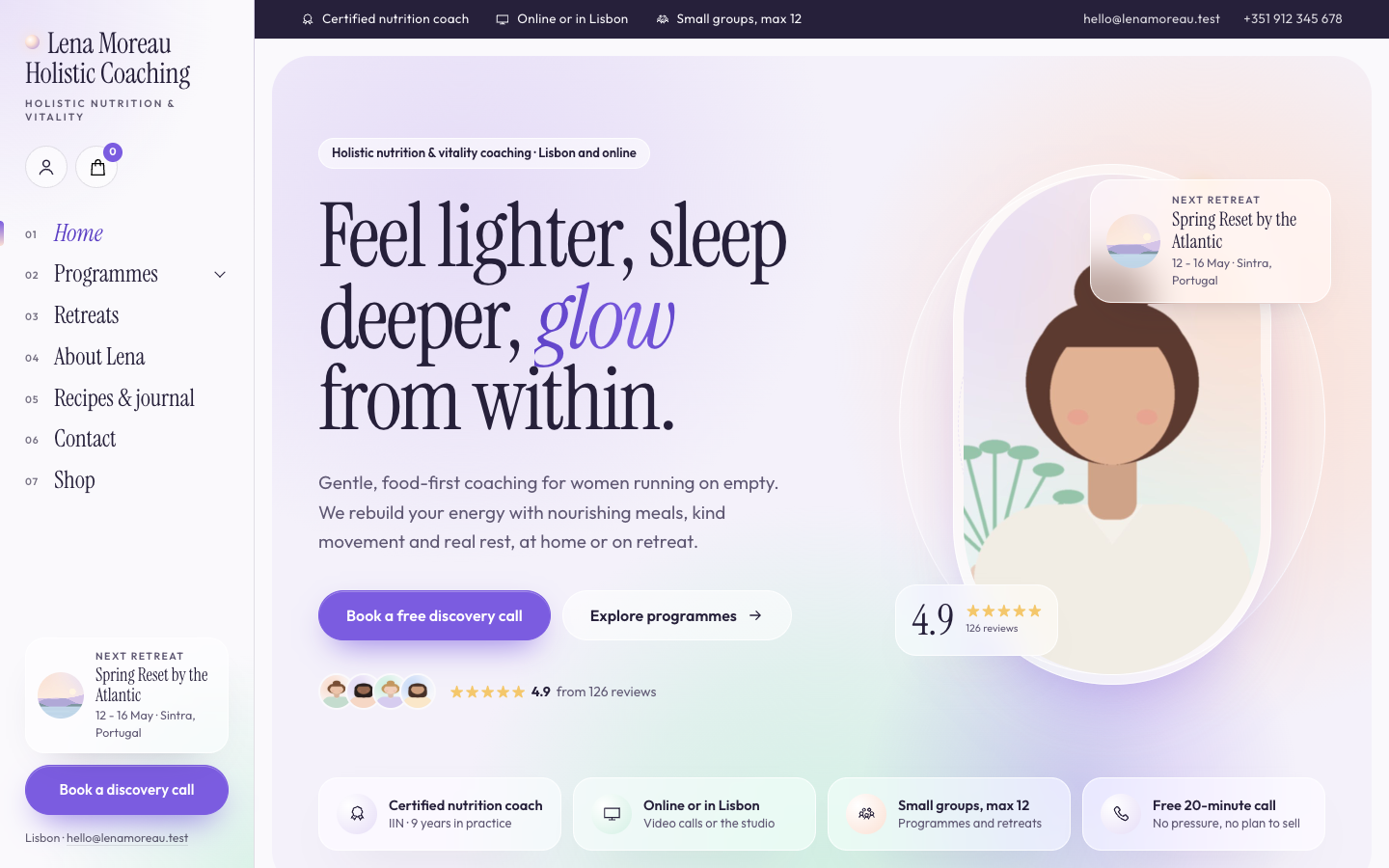 Aurora
New
Free
A luminous, dreamy theme for holistic and vitality coaches who host retreats
-
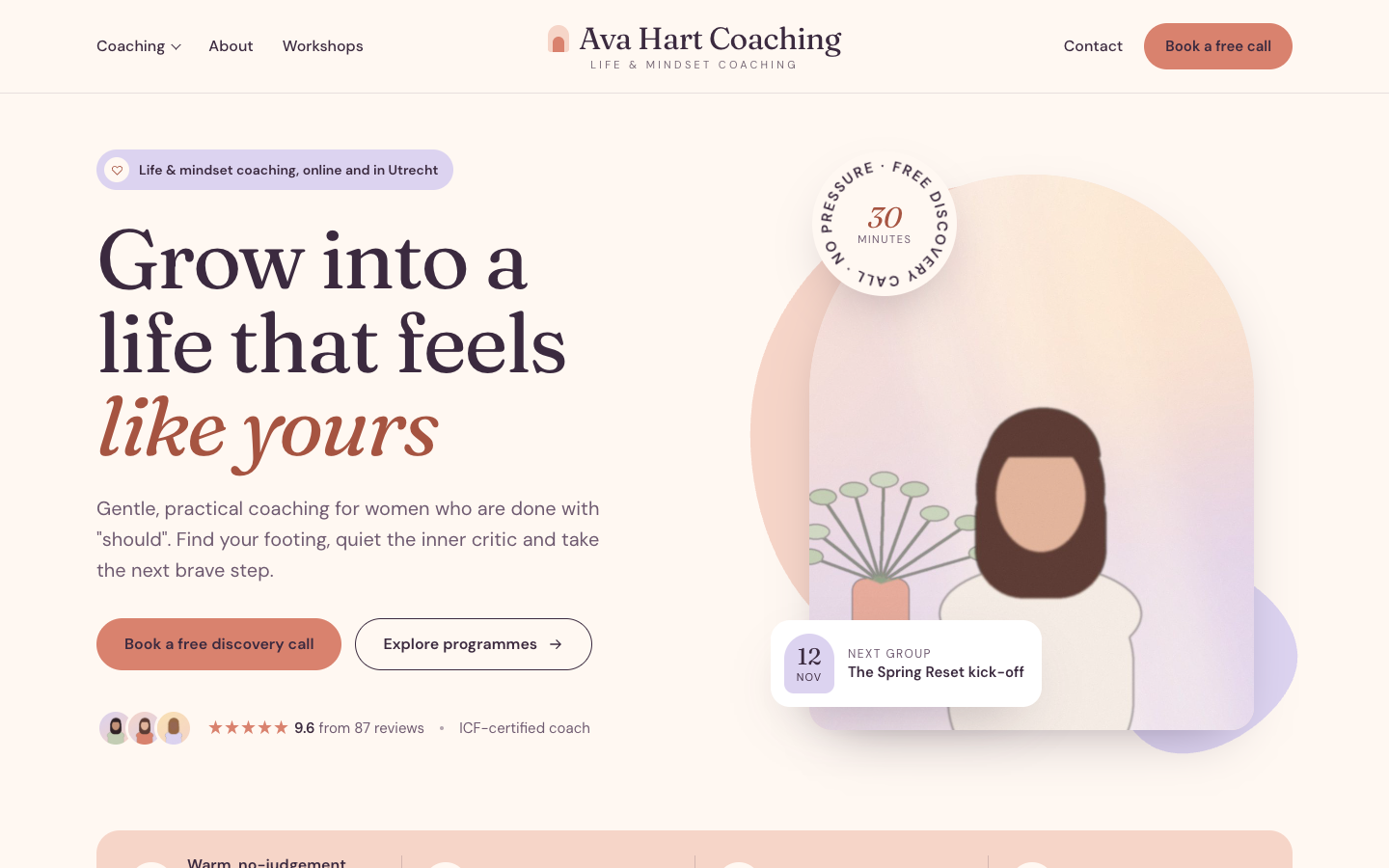 Bloom
New
Free
A warm, pastel website theme for life and mindset coaches
-
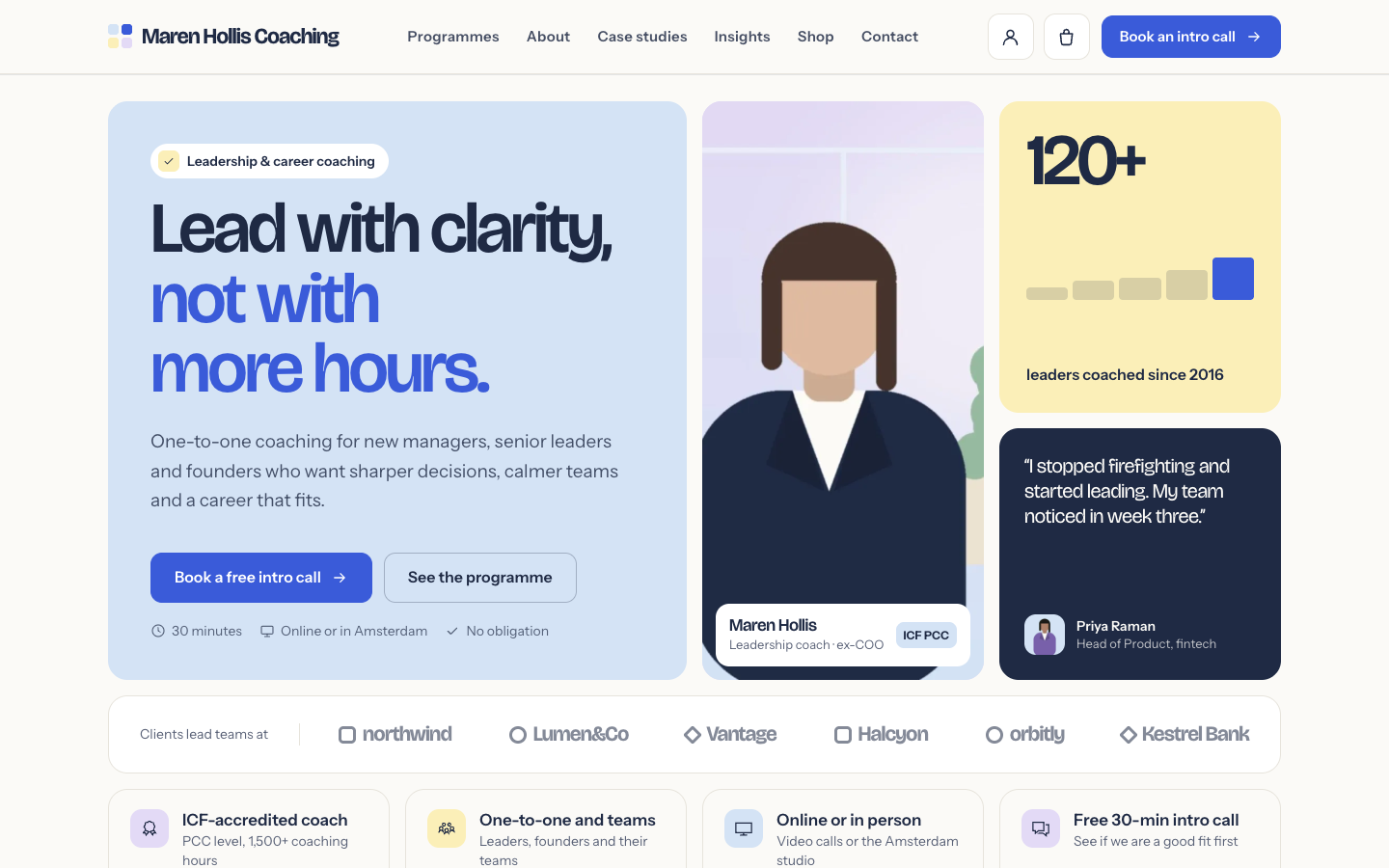 Clarity
New
Free
A structured bento theme for career, leadership and business coaches
-
 Coat
New
Free
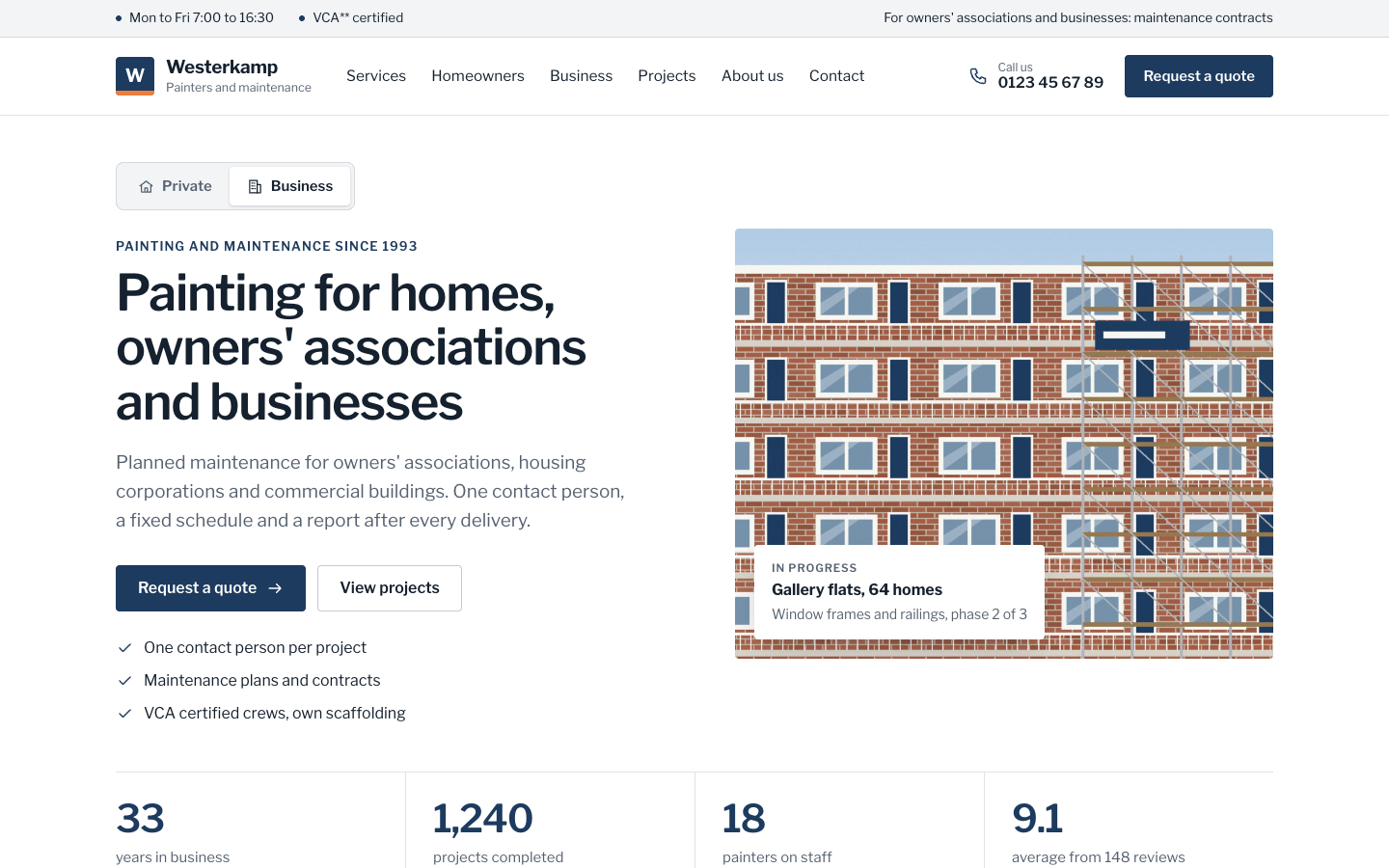
A businesslike theme for painting companies serving homes and organisations
Pick a theme and launch your site today
Try SitePack free, choose a design and switch whenever you like.