Aurora Free
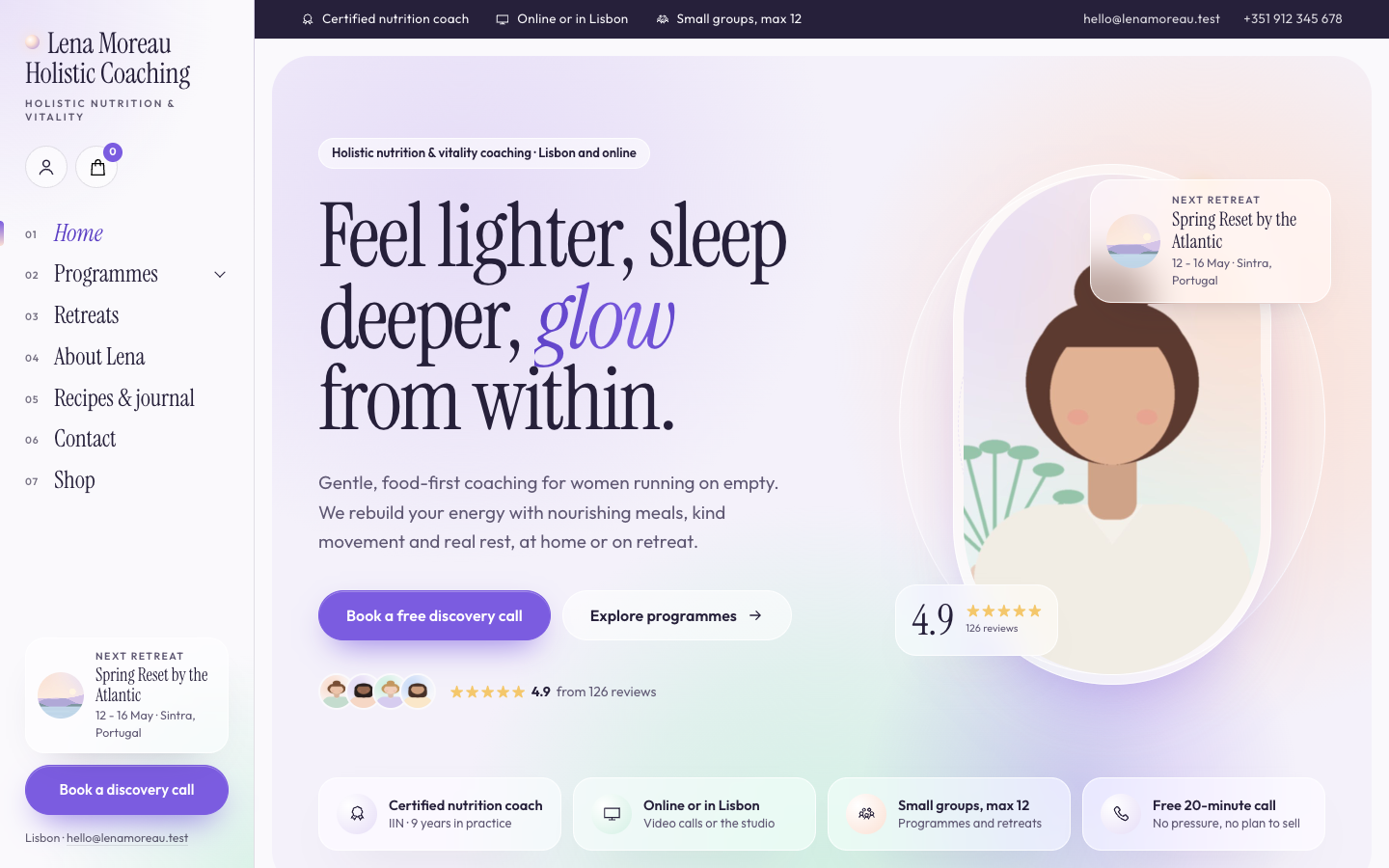
Aurora is made for nutrition, vitality and holistic coaches whose highlight is a retreat. Soft drifting colour, frosted glass cards and a vertical menu rail make your coaching feel calm and a little luxurious, with an optional shop for deposits, programmes and plans.
About this theme
Aurora is built for holistic, nutrition, vitality and energy coaches, and for anyone who hosts wellness retreats. It works just as well for a coach who only works online as for one with a studio and several retreats a year. The look is light and airy: pearl backgrounds with slowly drifting fields of lilac, mint and peach, frosted glass cards, round images and serif headings with one glowing italic word.
On desktop your menu sits in a vertical rail on the left, with a numbered list of pages, your next retreat and your main call to action always in view. On tablets and phones it becomes a slim top bar with a full-screen menu, and a sticky booking bar appears after the hero.
The home page opens with a hero that shows your portrait in a capsule, your review score and your next retreat. Below it come your selling points, a slow keyword marquee, three pillars of your approach, your programmes with prices, your upcoming retreats with dates and number of nights, an about section with credentials, results and testimonials, your latest recipes and journal posts, a newsletter sign-up and a booking band with your studio address and opening hours. You choose the order, and any section can be hidden.
Turn on the online store and Aurora becomes a calm little shop for retreat deposits, online programmes, nutrition plans, guided audio and gift vouchers. The cart and account icons appear in the rail, the home page gets a shop section with category chips, and product pages show round thumbnails, variant choices as pills and a link to book a call for anyone with questions first.
Everything comes from your own SitePack data: events, blog posts, selling points, locations, reviews, products and categories. Programmes can come from the Price list app or from simple fields. Every colour, the corner radius, page width and rail width are settings, so the theme follows your brand.
Key features
- Drifting aurora backgrounds Soft lilac, mint and peach fields drift slowly behind the hero and key sections, and stop for visitors who prefer reduced motion.
- Vertical menu rail On desktop your menu, next retreat and call to action stay in view in a rail on the left; phones get a full-screen menu and a booking bar.
- Retreat cards from your events Upcoming events show as retreat cards with the month, day range, weekdays, location and number of nights.
- Programmes with prices Show three programmes as frosted cards with duration, format, what is included and the price, with one highlighted.
- Optional online store Sell retreat deposits, programmes, plans and audio with a shop section, product pages and a cart in the same look.
- Every colour is yours All colours, corner radius, page width and rail width are settings, so the theme matches your brand.
Fully in your own brand
The colours in the examples are only a starting point. In the editor you set your own colours, fonts and logo, and they carry through to every page of the theme.
How to set it up
Aurora works with the data you already keep in SitePack. These steps make the home page complete.
- Assign the home template Open the home page, choose the Home (Aurora) template and save.
- Fill in the hero and your approach Add your portrait, headline, buttons and the three pillars of how you work.
- Add your retreats as events Create upcoming events with an image, location, start and end date; they appear as retreat cards and in the menu rail.
- Add your studio location Fill in your address, contact details and opening hours under Settings > Locations for the booking band, or skip it if you only work online.
- Add a booking button Create a menu item to your booking or contact page and set it as a button in the navigation editor.
Frequently asked questions
Do I need an online store to use Aurora?
No. Aurora works as a website for coaching and retreats. When you turn on the online store, the cart and account icons, the home page shop section and the product pages appear automatically.
Where do the retreats on the home page come from?
From your upcoming events in SitePack. Aurora shows the first one as a wide card and the next two as smaller cards, with the dates, location and number of nights worked out from the start and end date.
How do I get the booking button in the menu rail?
Mark one menu item as a button in the navigation editor. Aurora places it at the bottom of the rail and reuses its link for the hero, the booking band and the booking bar on phones when they have no link of their own.
Can I change the order of the home page sections?
Yes. The home page template has a section order field: list the sections in the order you want and leave out the ones you want to hide. Sections without content, such as retreats or journal posts, hide themselves.
Where do my programmes and prices come from?
If the Price list app is installed, Aurora uses its items. Otherwise you fill in up to three programmes with their duration, format, includes and price on the home page template.
Which fonts does Aurora use?
You pick the fonts in your design settings. Aurora is designed for Instrument Serif headings with Outfit body text, and works with any other pair you prefer.
-
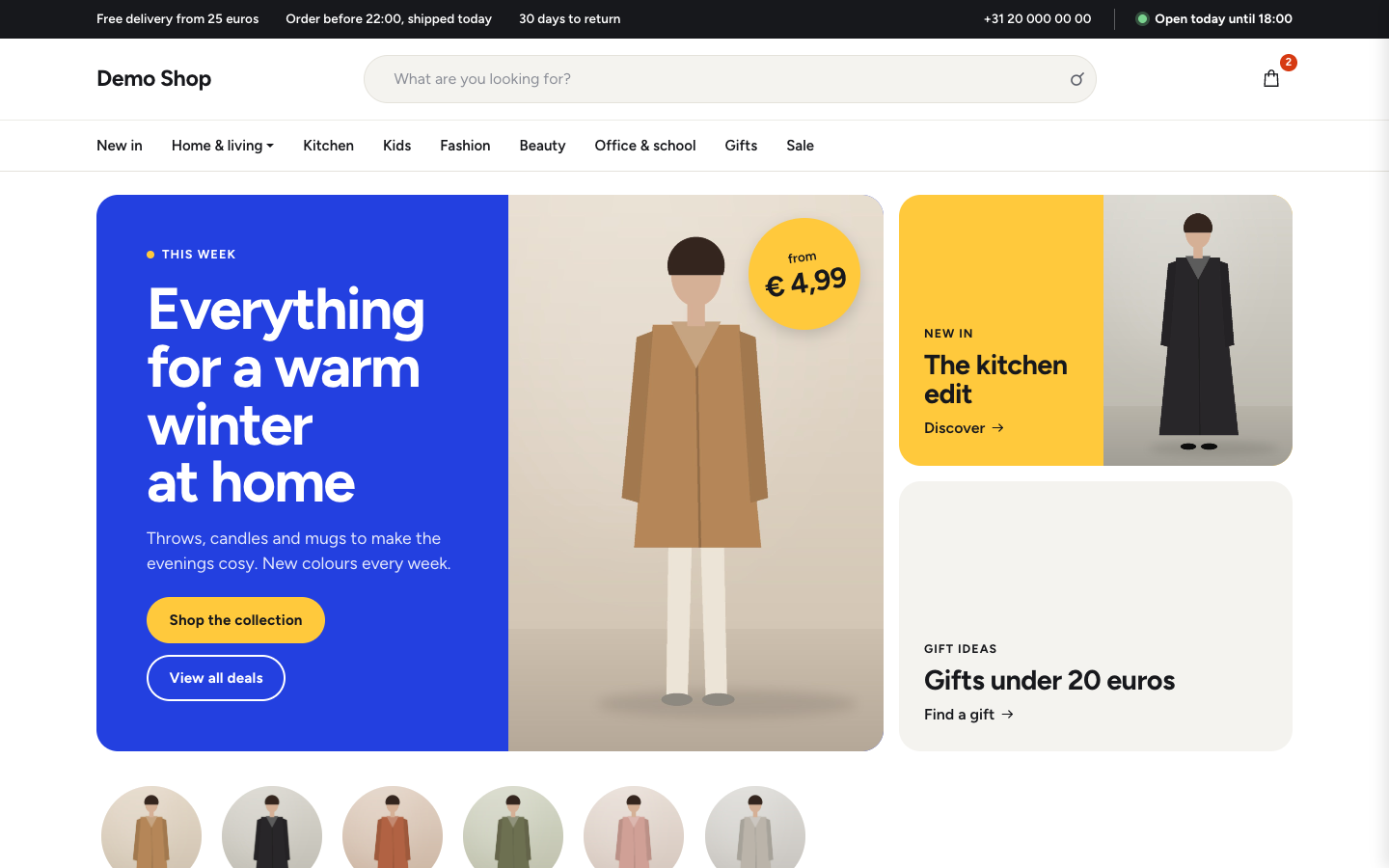 Aisle
New
Free
Bright department store theme for web shops with a broad range
-
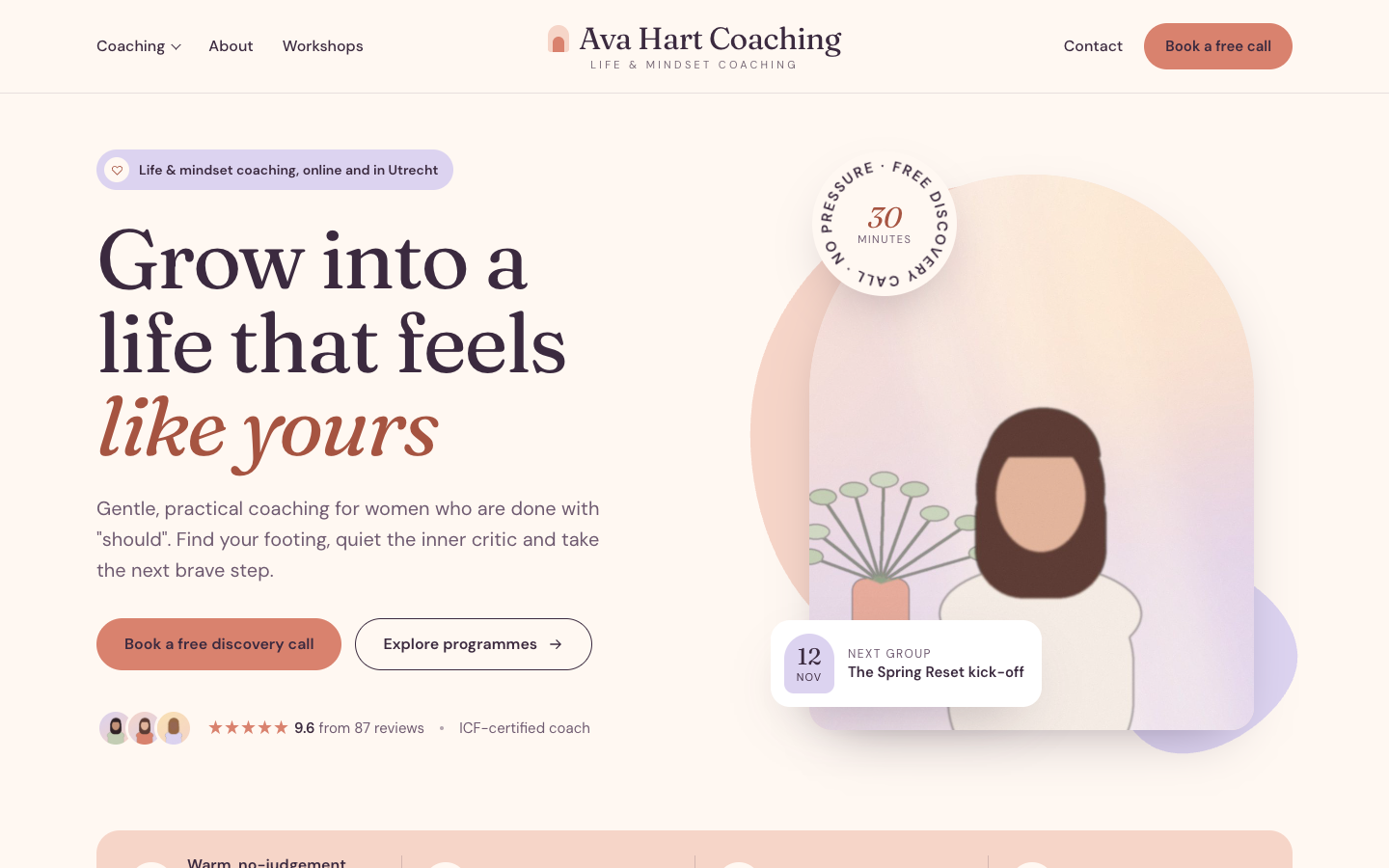 Bloom
New
Free
A warm, pastel website theme for life and mindset coaches
-
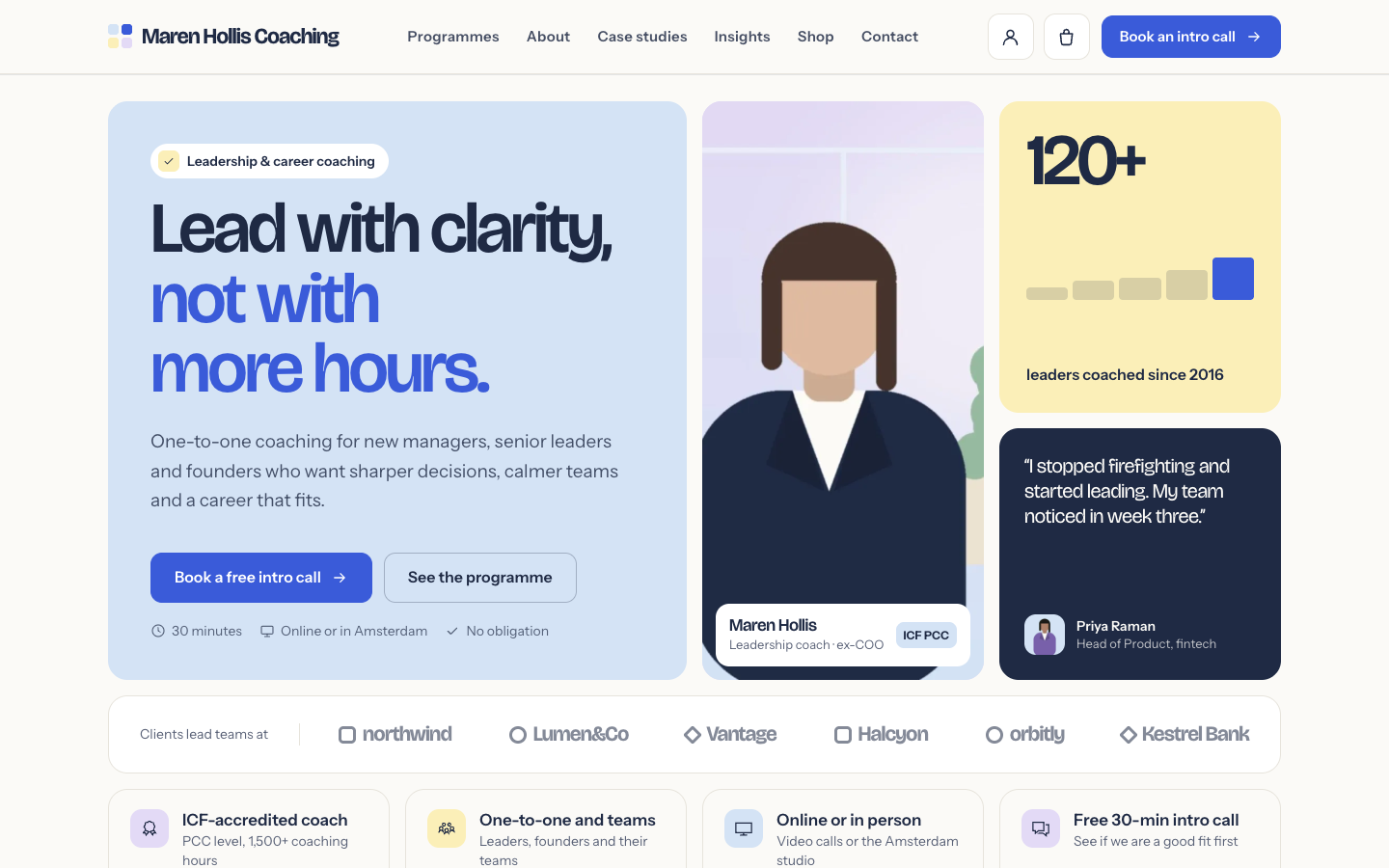 Clarity
New
Free
A structured bento theme for career, leadership and business coaches
-
 Coat
New
Free
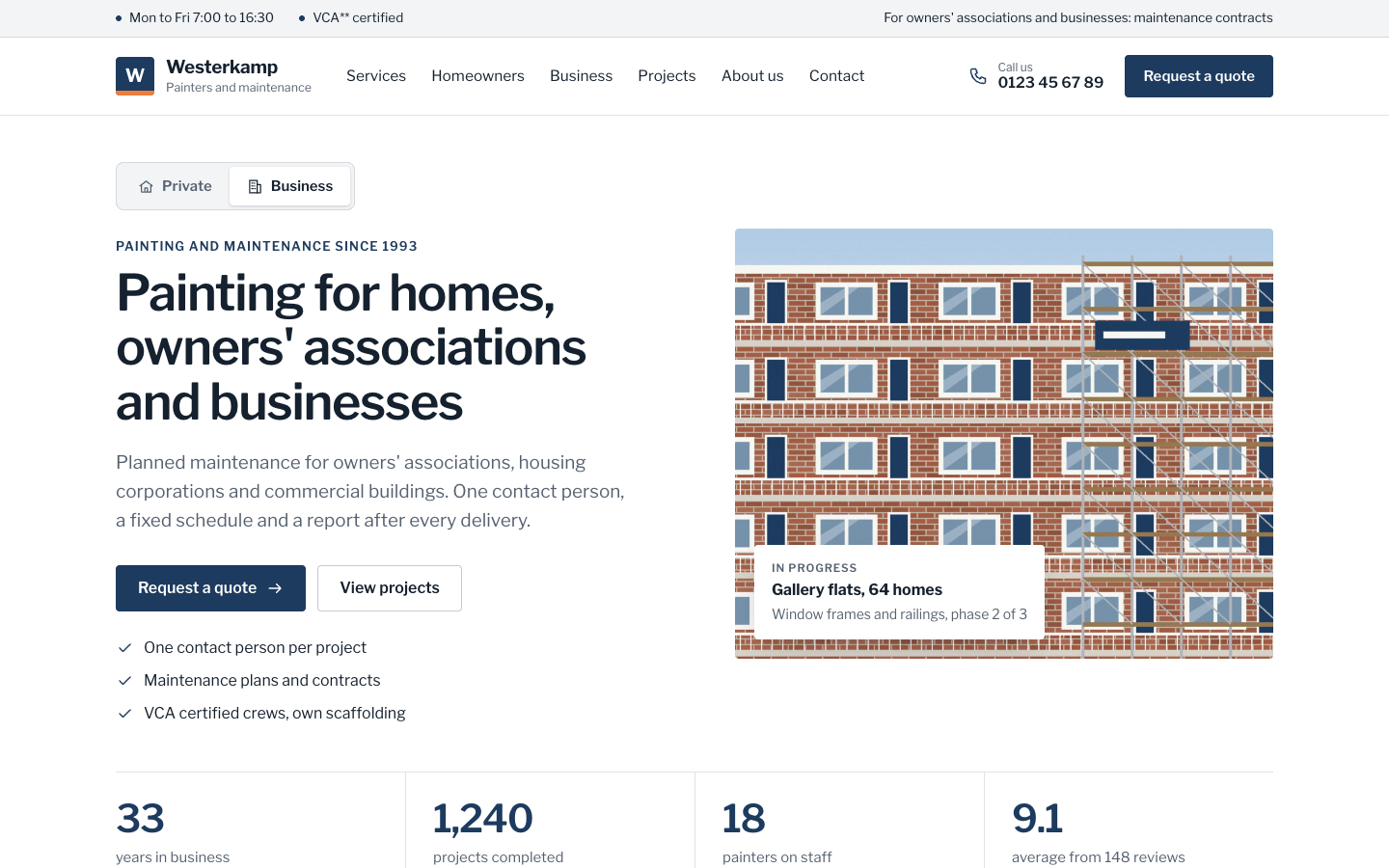
A businesslike theme for painting companies serving homes and organisations
Pick a theme and launch your site today
Try SitePack free, choose a design and switch whenever you like.