Coat Free
Coat is a calm, factual theme for painting companies that work for homeowners and for business clients alike. A Private / Business switch, project sheets with the facts and your figures and certificates up front all lead to one quote form.
About this theme
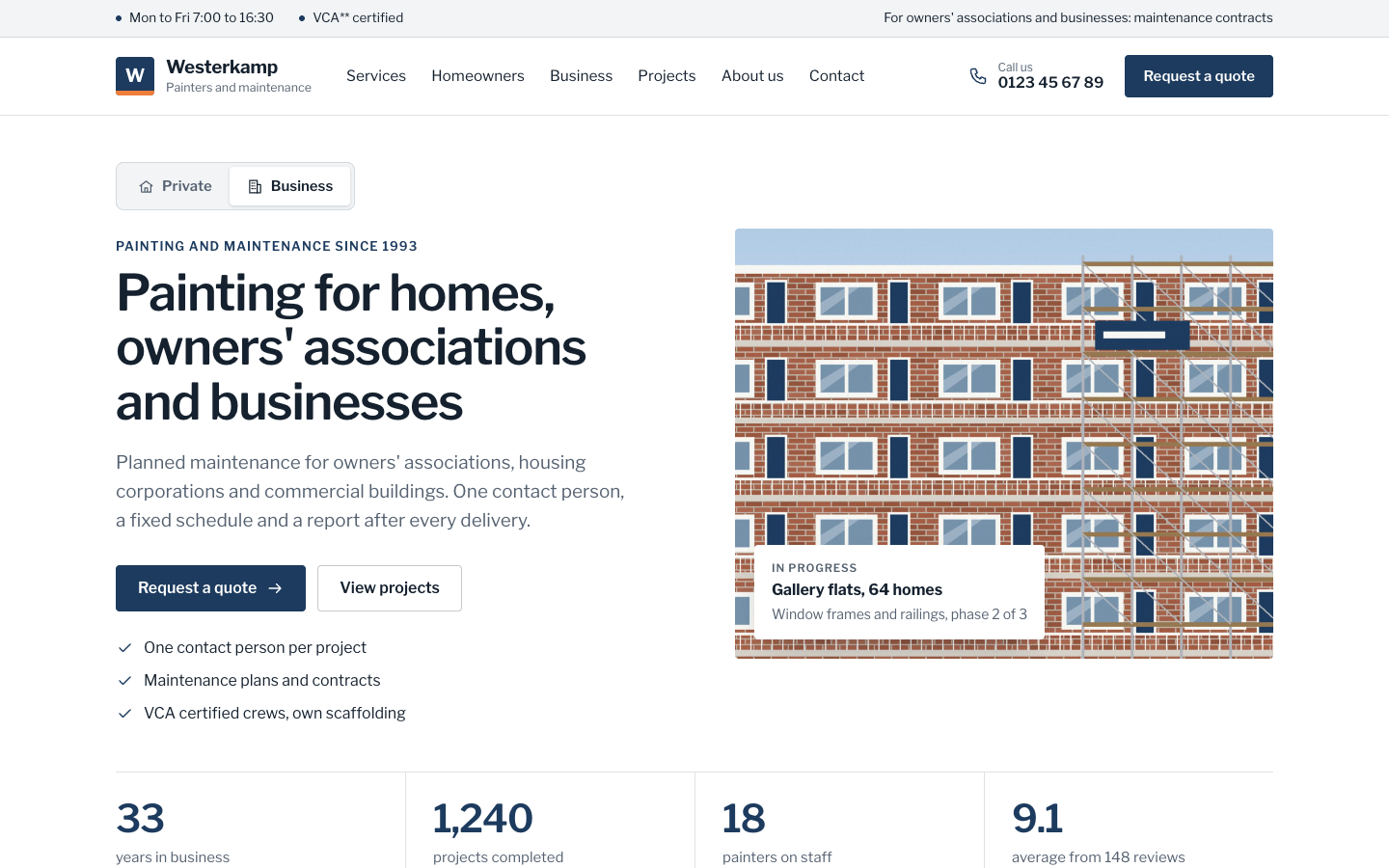
Coat is made for painting and maintenance companies of a few to a few dozen people that also work for owners' associations, housing corporations, schools, offices and contractors. It reads like a neat company document: hairline tables, labels on the left and values on the right, small uppercase kickers and cards with thin borders. White and light grey sections alternate, deep navy carries the buttons and dark blocks, and orange is used sparingly as an accent.
The home page opens with a Private / Business switch above the headline: each side has its own lead text and three checks, and you choose which side opens first. Right under the hero come four key figures (years, projects, staff, review score) and a row of up to five certificates, shown as your logo or as a neat text badge. Below that: four service cards, a two-card section for homeowners and for organisations, your latest projects, an about section with team portraits, reviews, your service area with places and distances, and a closing quote block with a short form. You choose the order, and every section hides itself when it is empty.
Projects come from the free Portfolio app, which is installed with the theme. Every project card ends in a small facts table (client, size, period), the overview filters on your own categories such as Private and Business, and each project page shows a sticky project details sheet with the quote button, before and after photos side by side, the story, the client's quote and a gallery.
The quote page is one form in three numbered blocks: who the work is for, the work itself and contact details. Choosing Business adds the type of client, organisation name, number of homes or square metres and whether it is a one-off job, a maintenance plan or a contract. Requests reach you by email and are stored as a lead. The header shows your phone number and the quote button, and on phones a bar with Call and Request a quote stays at the bottom of the screen.
Every colour, the corner radius, the page width and the section spacing are settings, so Coat follows your house style.
Key features
- Private / Business switch One site for two audiences: the hero swaps text and checks per side, and a Business choice in the form asks the questions organisations need.
- Project sheets with facts Every project card and page lists client, size and period in a tidy table, with before and after photos side by side.
- Figures and certificates up front Years in business, projects, staff, review score and up to five certificates sit directly under the hero.
- Three-step quote form Who, what and contact details in three numbered blocks; requests arrive by email and are stored as a lead.
- Portfolio app included Projects run on the free Portfolio app, installed automatically when you activate Coat, with a filter on your own categories.
- Calm, document-like design Hairline tables, tabular figures, navy and grey: a serious company look, with every colour, radius and width as a setting.
Fully in your own brand
The colours in the examples are only a starting point. In the editor you set your own colours, fonts and logo, and they carry through to every page of the theme.
How to set it up
Coat works with the data you already keep in SitePack. These steps fill the home page, add your first projects and point every button to your quote form.
- Assign the home template Open the home page, choose the Home (Coat) template, add your hero photo and write the lead text and checks for the private and the business side.
- Add figures and certificates Fill in your four key figures and up to five certificates, then the services, the homeowners and organisations cards, the team and your service area.
- Create the quote page Create a page with the Quote request (Coat) template and add the steps, your office hours and your certificates in the side column.
- Add the quote button Add a menu item to the quote page as the last item and set it to display as a button. The header, the phone bar and the home page then link to it.
- Add your projects Create a few projects under Content > Portfolio with a cover photo, place, category (for example Private or Business), client and facts such as size and period.
Frequently asked questions
Do I need to install anything for the projects?
No. Coat needs the free Portfolio app for its projects, and that app is installed automatically when you activate the theme. You add projects under Content, and the project sections on the home page stay hidden until you have at least one.
How does the Private / Business switch work?
In the home template you write a lead text and up to three checks for each side and choose which side opens first. Leave one side empty and the switch disappears. On the quote page a link with ?aud=business opens the business questions straight away.
Where do quote requests go?
Each request is sent to you by email and stored as a lead in SitePack. Business requests include the type of client, organisation name, size and whether it is a one-off job, a maintenance plan or a contract.
Can I show my certificates without official logos?
Yes. Each of the up to five certificates has a name, one short line and an optional logo. Without a logo Coat shows a neat badge with the first letters, so you never need artwork.
Can I change the order of the home page sections?
Yes. The home template has a section order field: list the sections in the order you want and leave out the ones you want to hide. Sections without content hide themselves.
Which fonts does Coat use?
You pick the fonts in your design settings. Coat is designed for Libre Franklin for both headings and body text.
-
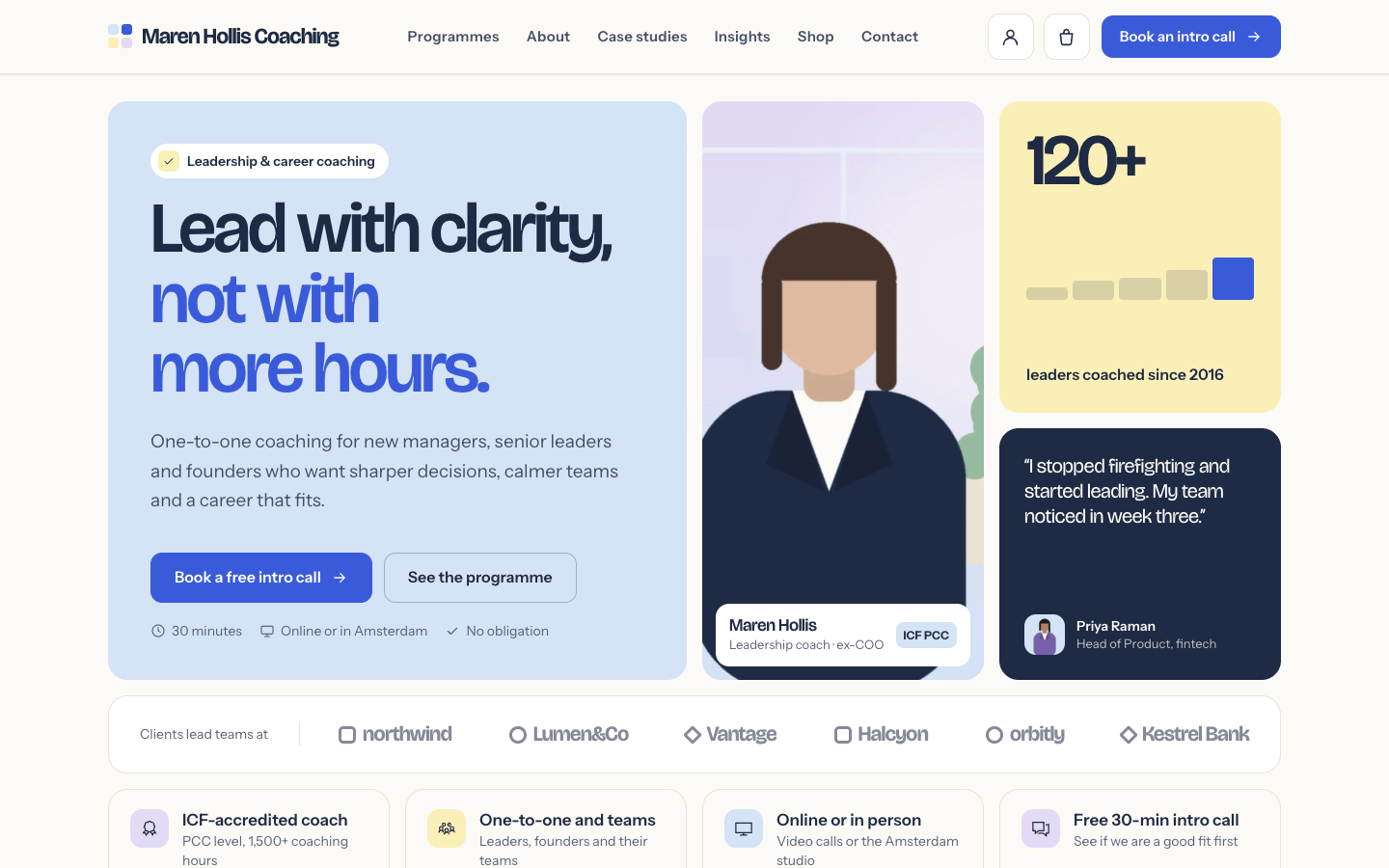 Clarity
New
Free
A structured bento theme for career, leadership and business coaches
Clarity
New
Free
A structured bento theme for career, leadership and business coaches
-
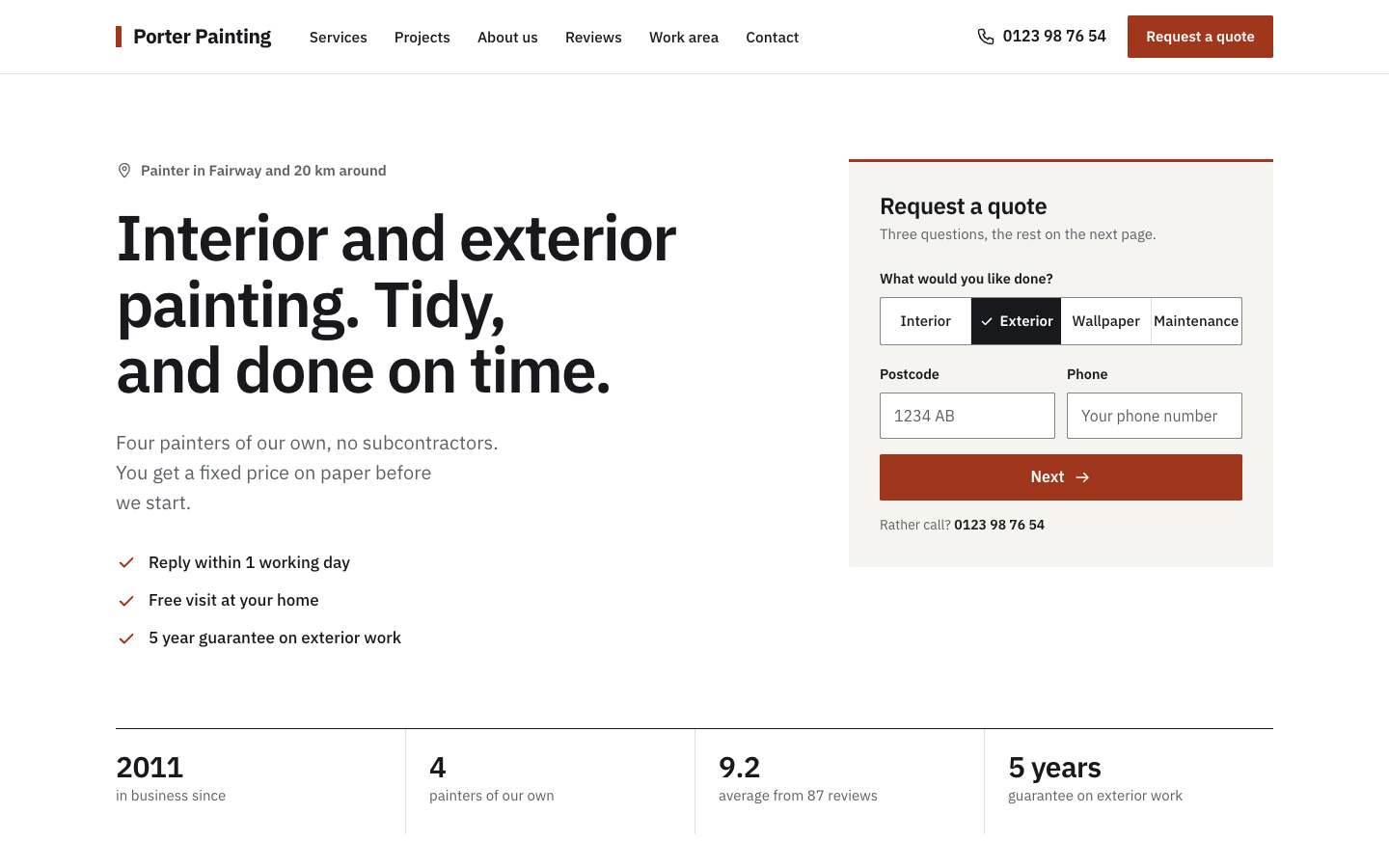 Sash
New
Free
A plain, businesslike website theme for small painting companies
Sash
New
Free
A plain, businesslike website theme for small painting companies
-
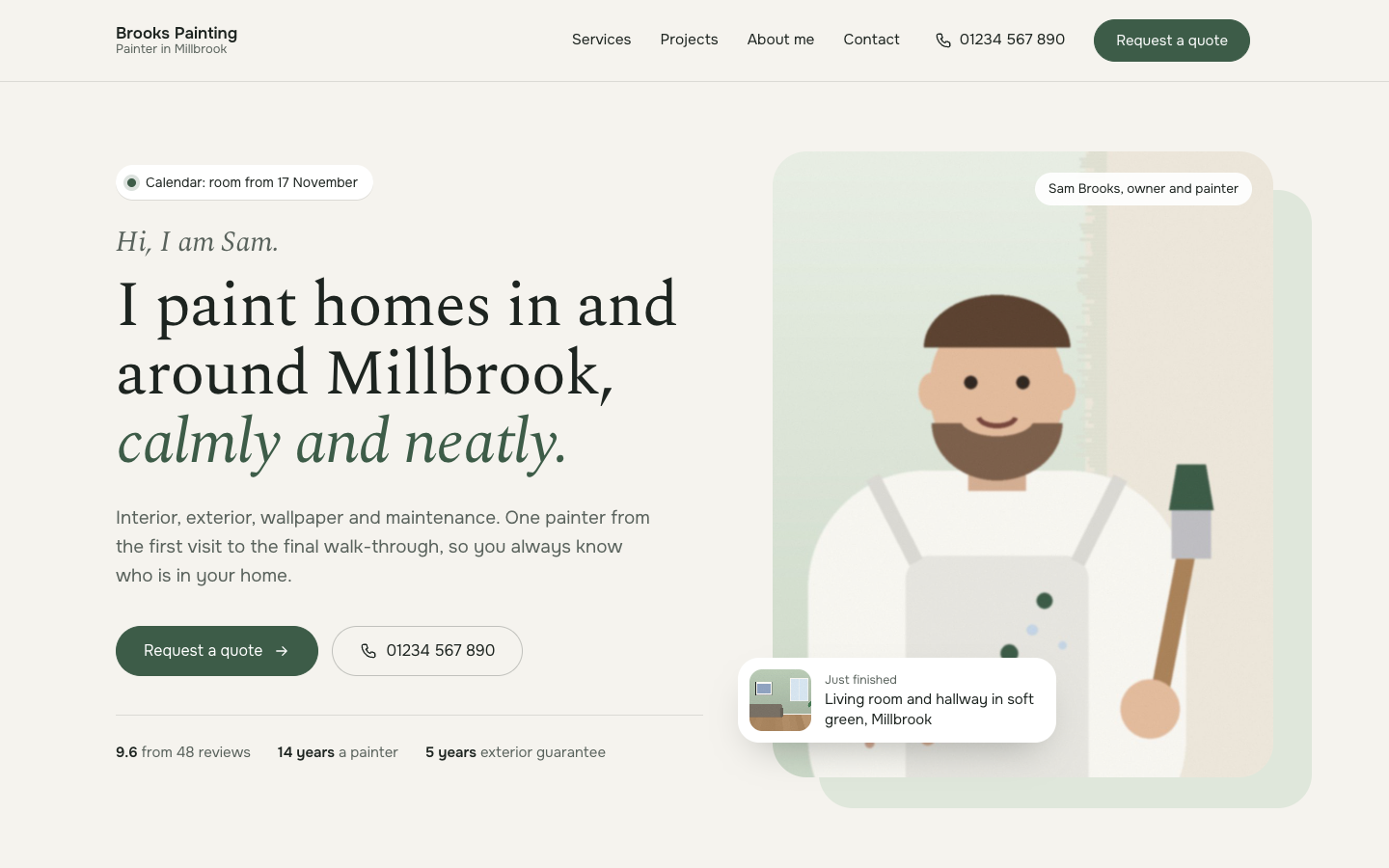 Tint
New
Free
A calm, personal website theme for painters who work on their own
Tint
New
Free
A calm, personal website theme for painters who work on their own
-
 Trim
New
Free
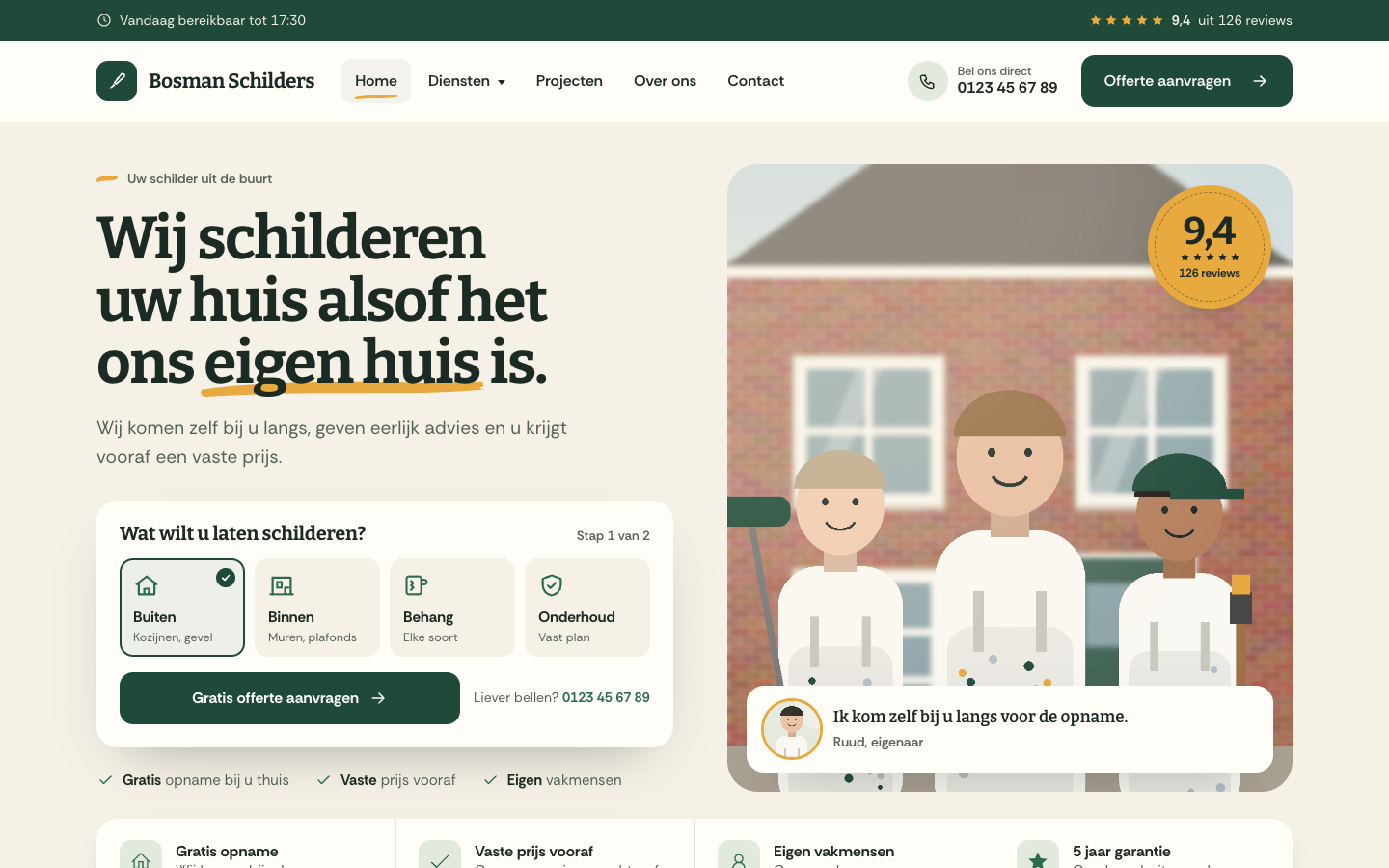
A warm, people-first website theme for local house painters
Trim
New
Free
A warm, people-first website theme for local house painters
Pick a theme and launch your site today
Try SitePack free, choose a design and switch whenever you like.