Bloom Free
Bloom is a soft, personal theme for coaches whose website does the selling. Every page leads to one gentle next step: booking a free discovery call, with an optional online store for courses, e-books and gift vouchers.
About this theme
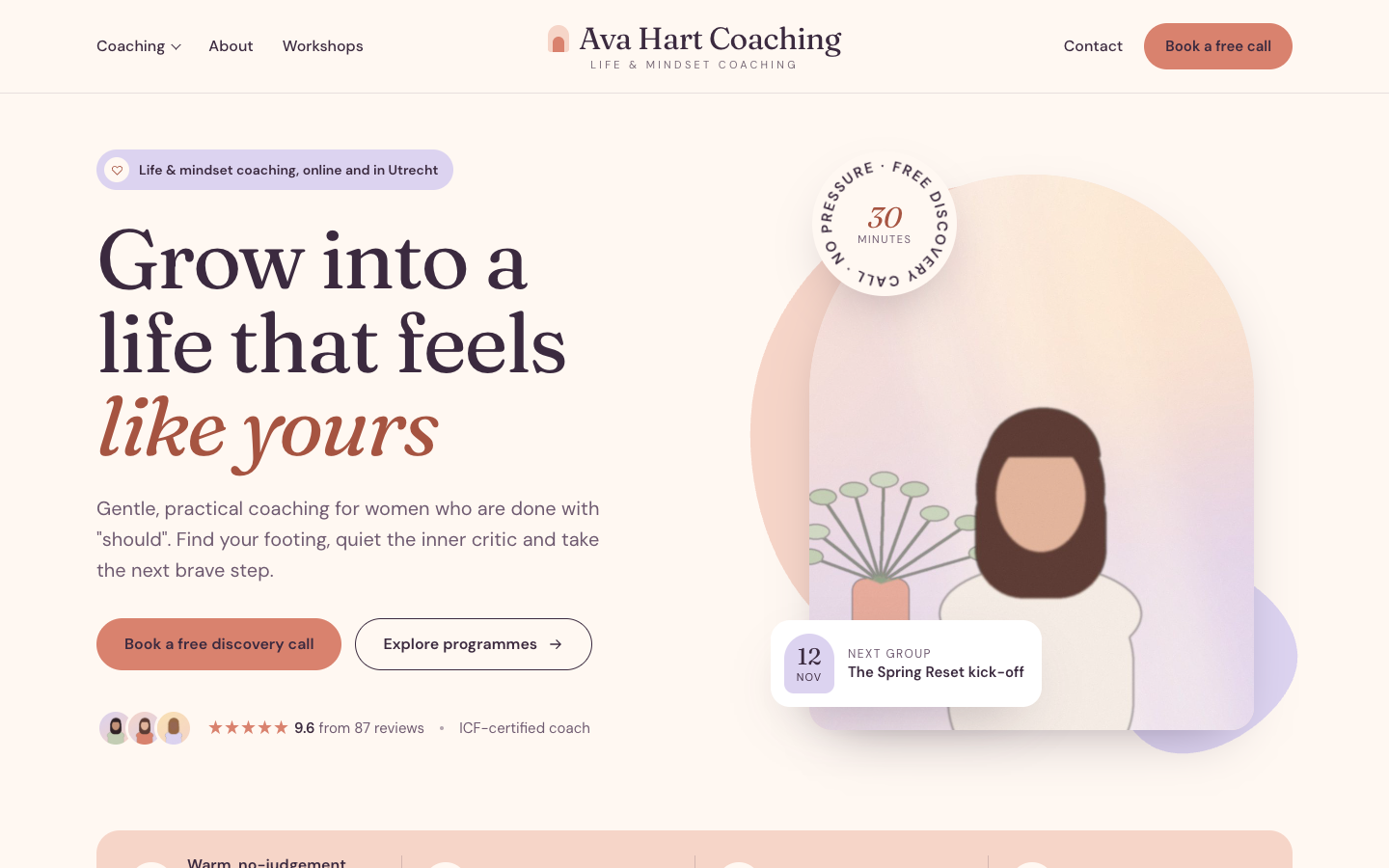
Bloom is made for life, mindset, confidence and relationship coaches, and for other solo practitioners who work one to one, in small groups or in workshops. It feels warm and optimistic: cream, blush peach, lavender and deep plum, big serif headlines with one or two words set in italic, and arch-shaped photo frames with soft blobs behind them.
The home page opens with a portrait in an arch, a slowly turning "free discovery call" stamp, your review score and a card with your next group or workshop. Below it come your selling points, an about section with photos, stats and a signature, three service cards, a three-step "how it works" panel, a testimonial carousel, your upcoming workshops, the latest journal posts, a newsletter sign-up and a closing booking block with your studio address and session hours. You choose the order, and every section can be hidden.
The header puts your logo in the centre with the menu split around it, and a menu item you show as a button becomes the rose "Book a free call" pill. On phones a booking bar stays at the bottom of the screen once visitors scroll past the hero. Content pages, the contact form, the footer and the cookie bar all follow the same soft look.
Selling online is optional. Switch on the online store and Bloom adds a cart to the header, a shop section on the home page, and product, category and cart pages in the same style, made for things like online courses, workbooks, journals, session packs and gift vouchers. With the store off, nothing about the shop shows.
Selling points, events, blog posts, reviews and your location come from your own SitePack data. Hero texts, services, steps and testimonials are fields you fill in. Every colour, the corner radius, the page width and the section spacing are settings, so Bloom follows your brand.
Key features
- Booking-first design Hero, header, steps panel, booking block and a sticky phone bar all point to your free discovery call.
- Arch frames and soft blobs Portraits, service cards and thumbnails sit in rounded arches with peach and lavender shapes behind them.
- Services and testimonials Present three services with chips, price line and image, and up to four client quotes in a carousel.
- Workshops and journal Your upcoming events and latest blog posts appear on the home page automatically.
- Optional online store Turn on the store to sell courses, e-books or gift vouchers; without it the shop stays out of sight.
- Every colour is yours All colours, corner radius, page width and section spacing are settings, so the theme matches your brand.
Fully in your own brand
The colours in the examples are only a starting point. In the editor you set your own colours, fonts and logo, and they carry through to every page of the theme.
How to set it up
Bloom works with the data you already keep in SitePack. These steps make the home page complete and point every button to your booking page.
- Assign the home template Open the home page, choose the Home (Bloom) template, add your booking link and save.
- Write your hero and about Add your portrait, headline, intro text, stamp text and the about section with photos and stats.
- Add services, steps and quotes Fill in up to three services, the three steps of how you work and up to four client testimonials.
- Add your content Create selling points, upcoming events and a few blog posts, and add your location with session hours if you see clients in person.
- Add the booking button Create a menu item to your booking page as the last item and set it to display as a button.
Frequently asked questions
Do I need an online store to use Bloom?
No. Bloom works as a website out of the box. When you switch on the online store, a cart, a shop section on the home page and product, category and cart pages appear in the same style.
Where does the booking button lead?
To the booking link you set in the home template, for example your scheduling page. Without a link the buttons fall back to an email to your first location.
Can I change the order of the home page sections?
Yes. The home template has a section order field: list the sections in the order you want and leave out the ones you want to hide. Sections without content, such as events or blog posts, hide themselves.
Does Bloom work if I only coach online?
Yes. Without a location the studio card in the booking block is left out, and event cards show an online label when the event takes place online.
Where do the testimonials come from?
You write up to four client quotes in the home template, each with a name, role and optional photo. Your overall review score from SitePack is shown next to them when you have reviews.
Which fonts does Bloom use?
You pick the fonts in your design settings. Bloom is designed for Fraunces headings with DM Sans body text.
-
 Clarity
New
Free
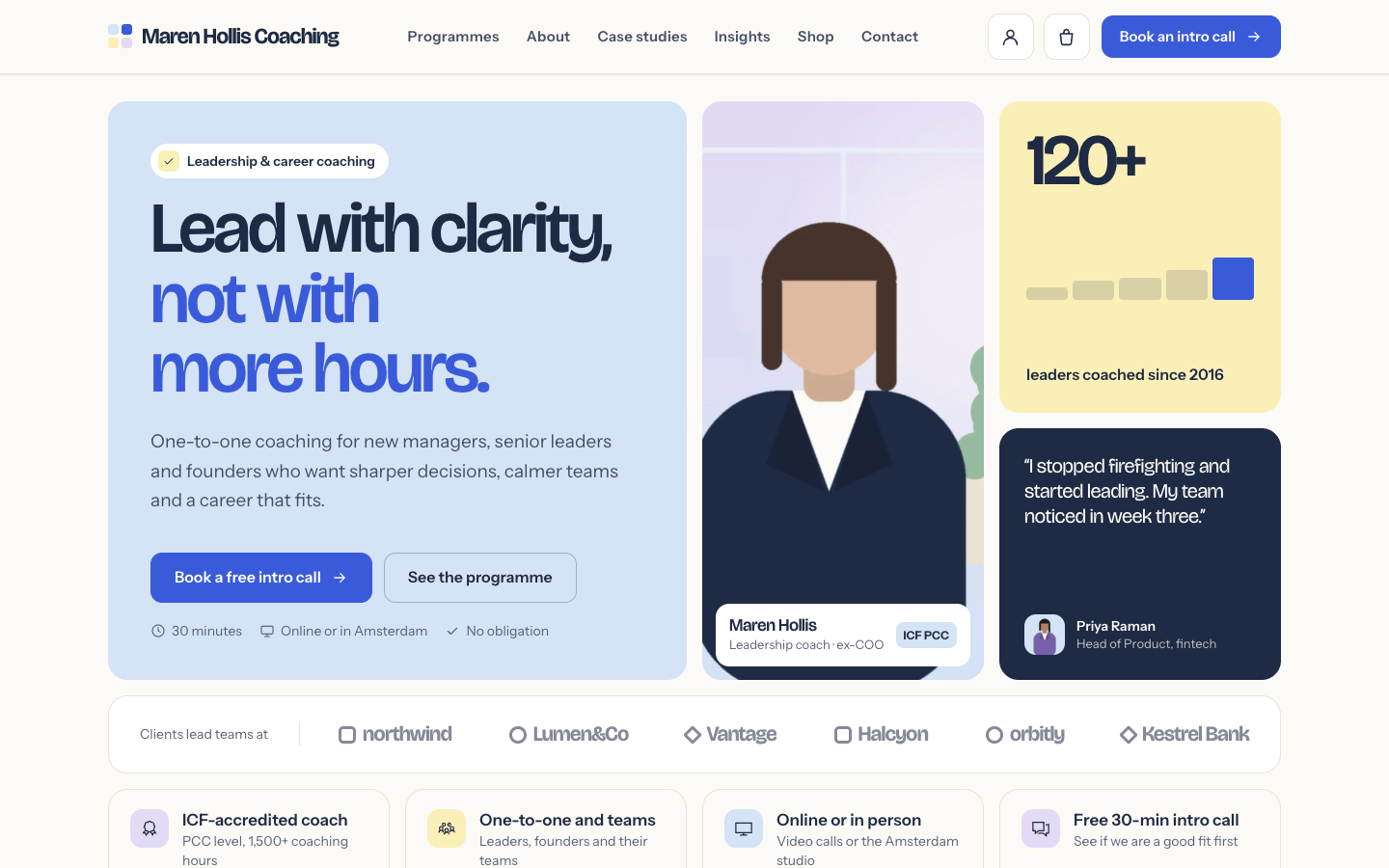
A structured bento theme for career, leadership and business coaches
Clarity
New
Free
A structured bento theme for career, leadership and business coaches
-
 Freewheel
New
Free
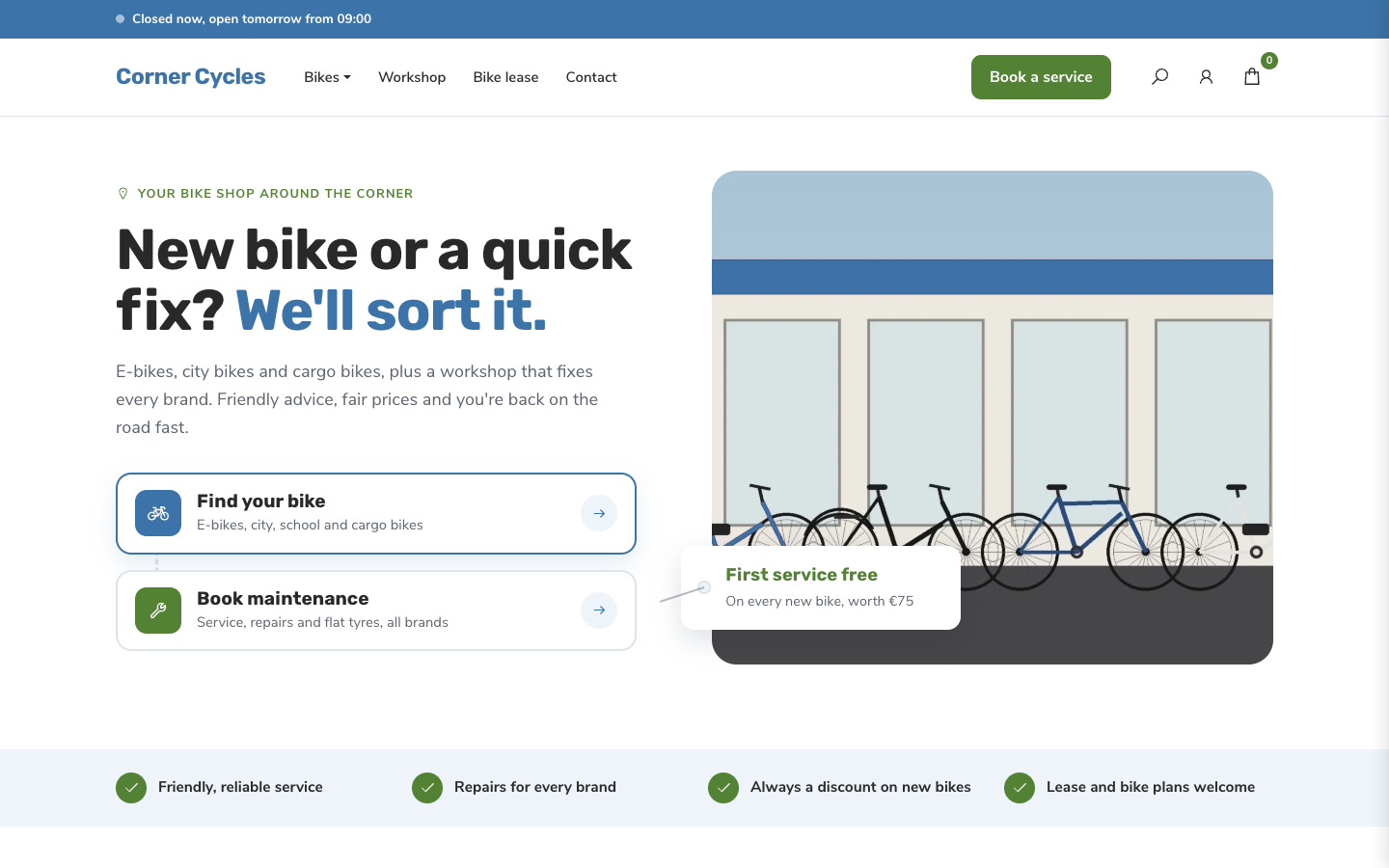
A friendly, service-first theme for local bike shops and dealers
Freewheel
New
Free
A friendly, service-first theme for local bike shops and dealers
-
 Gearbox
New
Free
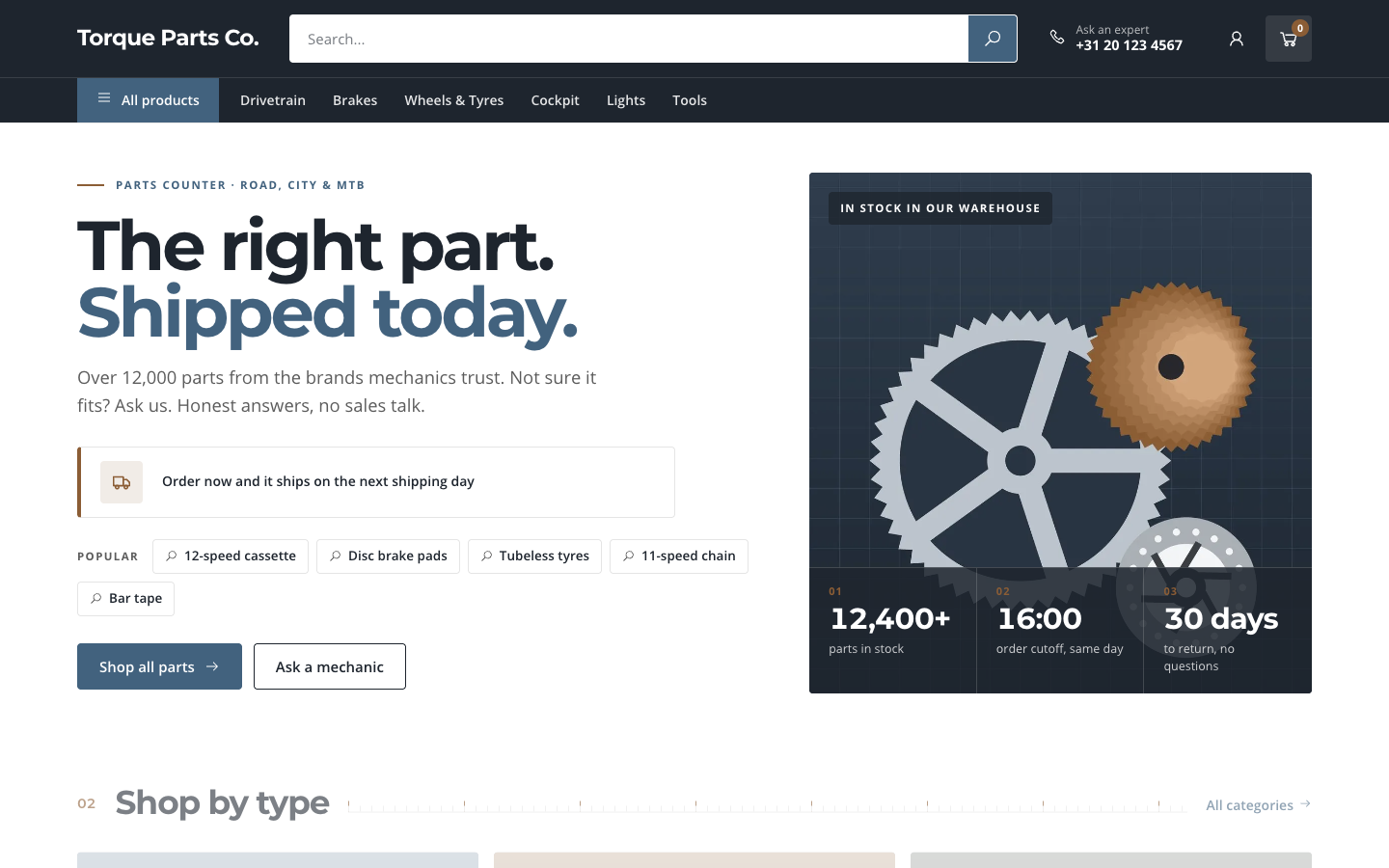
A search-first catalogue theme for parts and spares web shops
Gearbox
New
Free
A search-first catalogue theme for parts and spares web shops
-
 Kickstand
New
Free
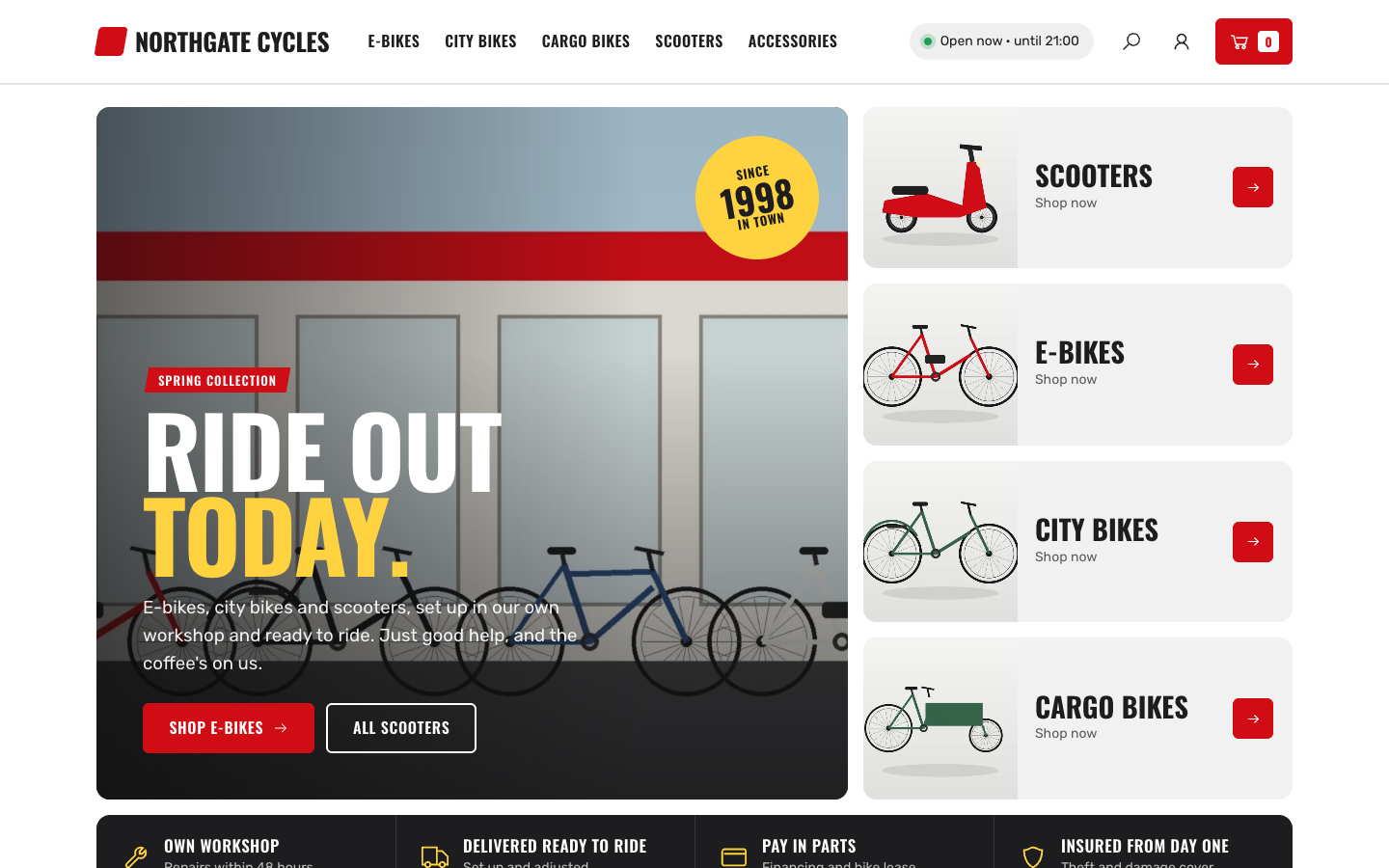
Bold showroom theme for bike, e-bike and scooter shops with a workshop
Kickstand
New
Free
Bold showroom theme for bike, e-bike and scooter shops with a workshop
Pick a theme and launch your site today
Try SitePack free, choose a design and switch whenever you like.