Clarity Free
Clarity is made for coaches and consultants who work with professionals and companies. A bento hero, a programme timeline and clear package cards turn visitors into intro calls, and an optional online store sells your courses, workbooks and vouchers.
About this theme
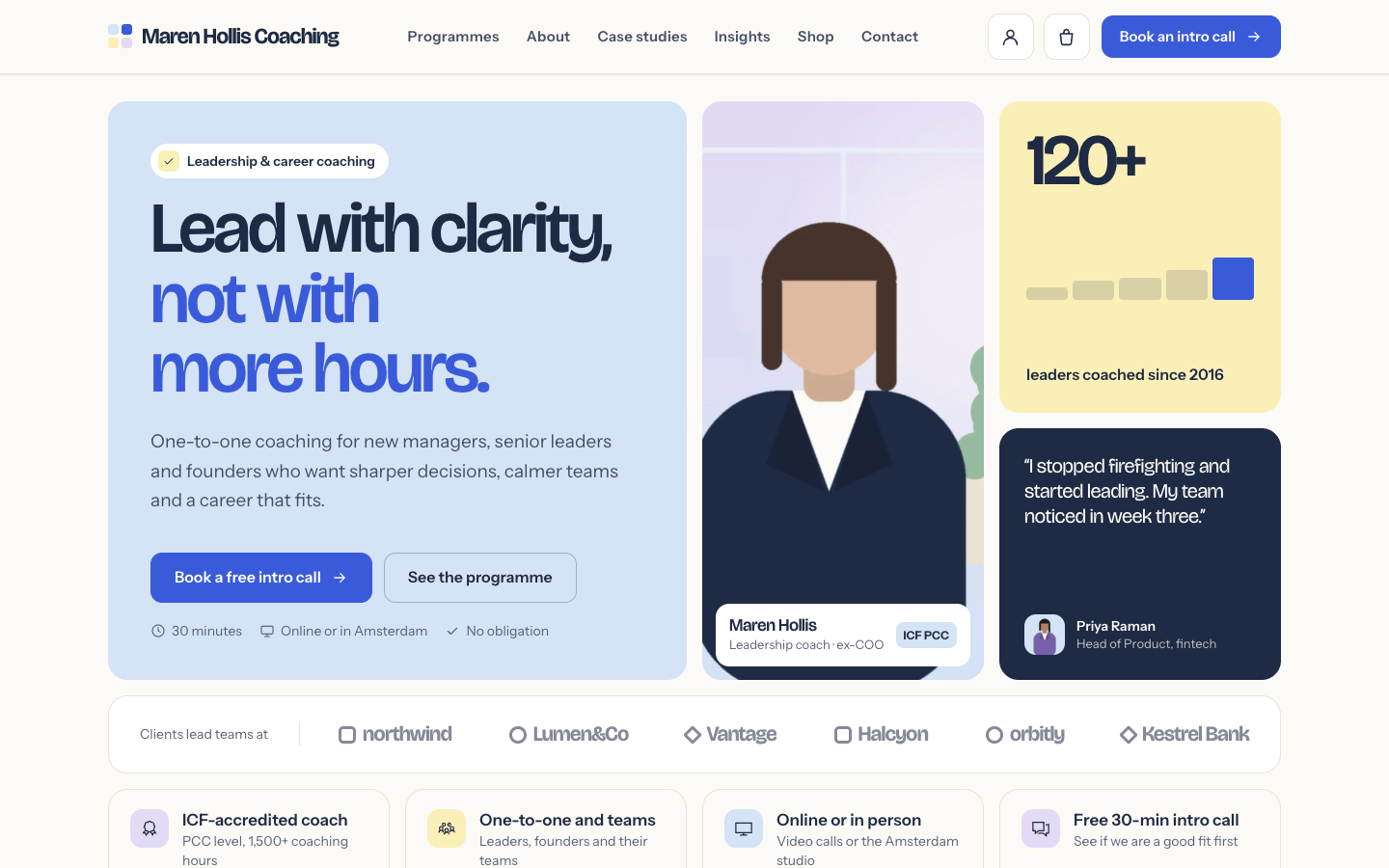
Clarity is built for leadership, career, executive and team coaches, and for any one-person professional service such as a consultant, trainer or mentor. The look is crisp and confident: a dense bento grid in three soft pastel tints plus a dark navy surface, bold grotesque headings, rounded tiles and numbers everywhere, from client results to package prices.
The home page opens with a bento hero: your headline with two buttons, your portrait with a name card and accreditation badge, a stat tile with a small bar chart, a client quote with your review score and a strip of client logos. Below it come your selling points, a before and after outcomes block, a programme timeline that shows each phase as wide as its weeks, up to three package cards with one highlighted, case studies with measurable results, your upcoming workshops, the latest articles, a newsletter sign-up and a booking band with your contact details and an intro call form. You choose the order, and any section can be hidden.
The header has a centred menu and a solid call-to-action button, taken from the menu item you mark as a button, such as Book an intro call. On phones the menu opens as a full-screen overlay and a sticky booking bar keeps the button in reach. The intro call form on the home page sends a lead straight to you and shares its styling with the contact page.
The online store is optional. Most coaches run Clarity as a website without a cart. When you switch the store on, the theme adds a cart button, a shop section on the home page, Buy now buttons on packages that link to a product, and styled product, category and cart pages for courses, workbooks, VIP days or gift vouchers.
Everything comes from your own SitePack data and template fields: selling points, blog posts, events, locations, reviews, products and the texts of every section. Every colour, the corner radius, the page width and the section spacing are settings, so Clarity follows your brand.
Key features
- Bento hero Headline, portrait, a key number, a client quote and client logos in one tile grid that reflows when a tile is empty.
- Programme timeline Show your programme as a week ruler with one coloured segment per phase, sized to its weeks, above the phase cards.
- Package cards Up to three packages with price, features and button, with the one you choose highlighted as most chosen.
- Case studies with results Up to three client stories with a big metric, a quote and an avatar, next to your review score.
- Intro call form on the home page A booking band with your contact details and a form that sends the request to you as a lead.
- Optional online store Switch the store on to sell courses, workbooks or vouchers with a cart, product pages and Buy now buttons on packages.
Fully in your own brand
The colours in the examples are only a starting point. In the editor you set your own colours, fonts and logo, and they carry through to every page of the theme.
How to set it up
Clarity works with the data you already keep in SitePack. These steps make the home page complete.
- Assign the home template Open the home page, choose the Home (Clarity) template and save.
- Fill in the hero Add your headline, portrait, key number, a client quote and your client logos or names.
- Describe your programme and packages Enter the phases of your programme with their weeks, and up to three packages with price and features.
- Add your contact details Fill in your email, phone, address and opening hours under Settings > Locations; the booking band uses them.
- Add a booking button Create a menu item to your booking form and set it as a button in the navigation editor.
Frequently asked questions
Do I need an online store?
No. Clarity works as a website out of the box, with every button leading to your intro call. When you switch the online store on, the cart, the shop section and the product pages appear automatically.
Can I change the order of the home page sections?
Yes. The home page template has a section order field: list the sections in the order you want and leave out the ones you want to hide. Sections without content, such as workshops or articles, hide themselves.
Where do the case studies and packages come from?
They are fields in the home page template, so you write the metric, quote, name and role of each case, and the name, price, features and button of each package yourself.
How do I get the Book an intro call button in the header?
Add a menu item that links to your booking form or contact page and set it as a button in the navigation editor. Clarity shows it in the header, in the phone menu and in the sticky booking bar on phones.
Where does the intro call form send its requests?
The form on the home page sends the request to you by email and stores it as a lead in SitePack. Your contact page uses the same form styling.
Which fonts does Clarity use?
You pick the fonts in your design settings. Clarity is designed for Bricolage Grotesque headings with Instrument Sans body text, and also works well with Space Grotesk or League Spartan paired with Inter, Manrope or Work Sans.
-
 Freewheel
New
Free
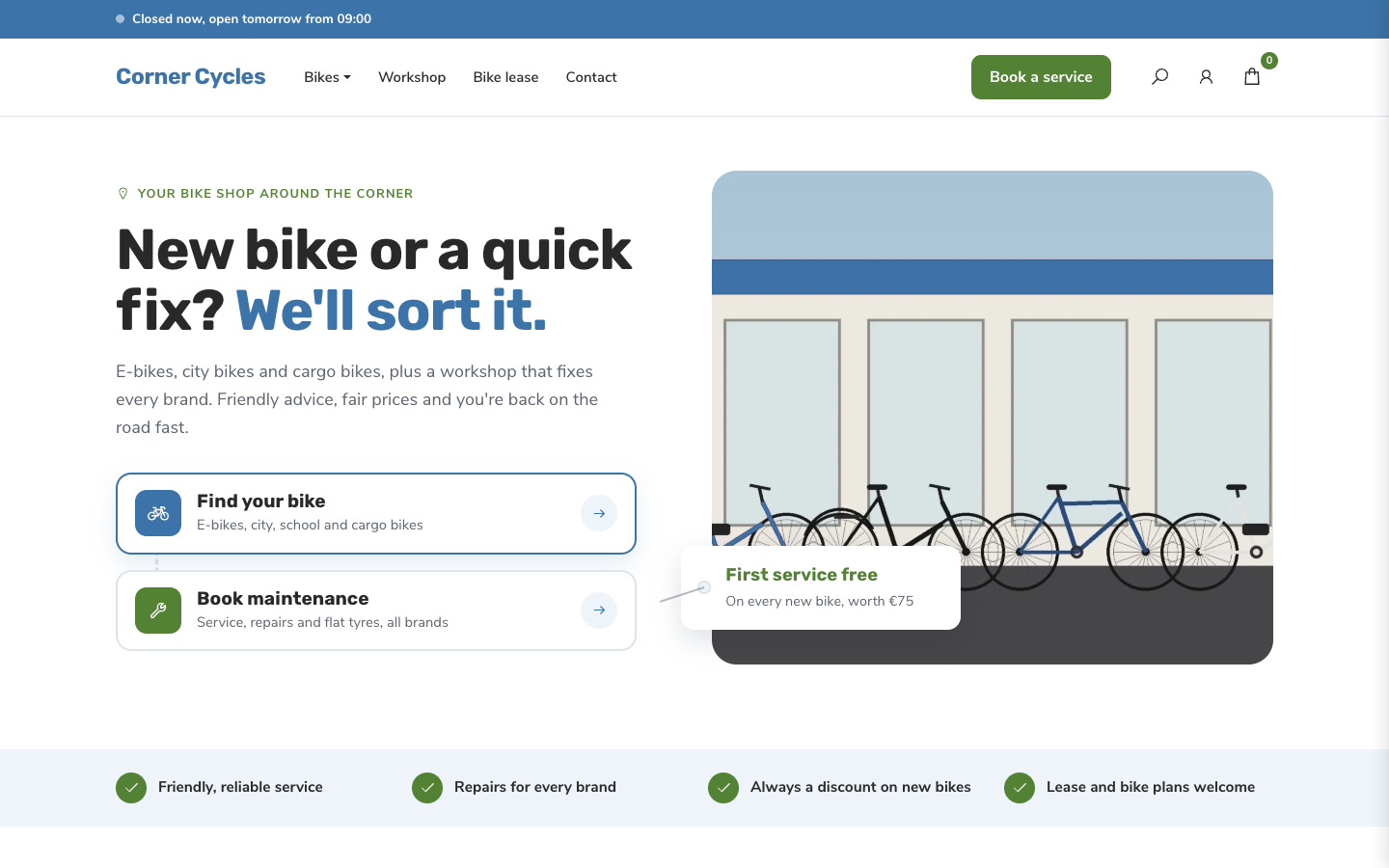
A friendly, service-first theme for local bike shops and dealers
Freewheel
New
Free
A friendly, service-first theme for local bike shops and dealers
-
 Gearbox
New
Free
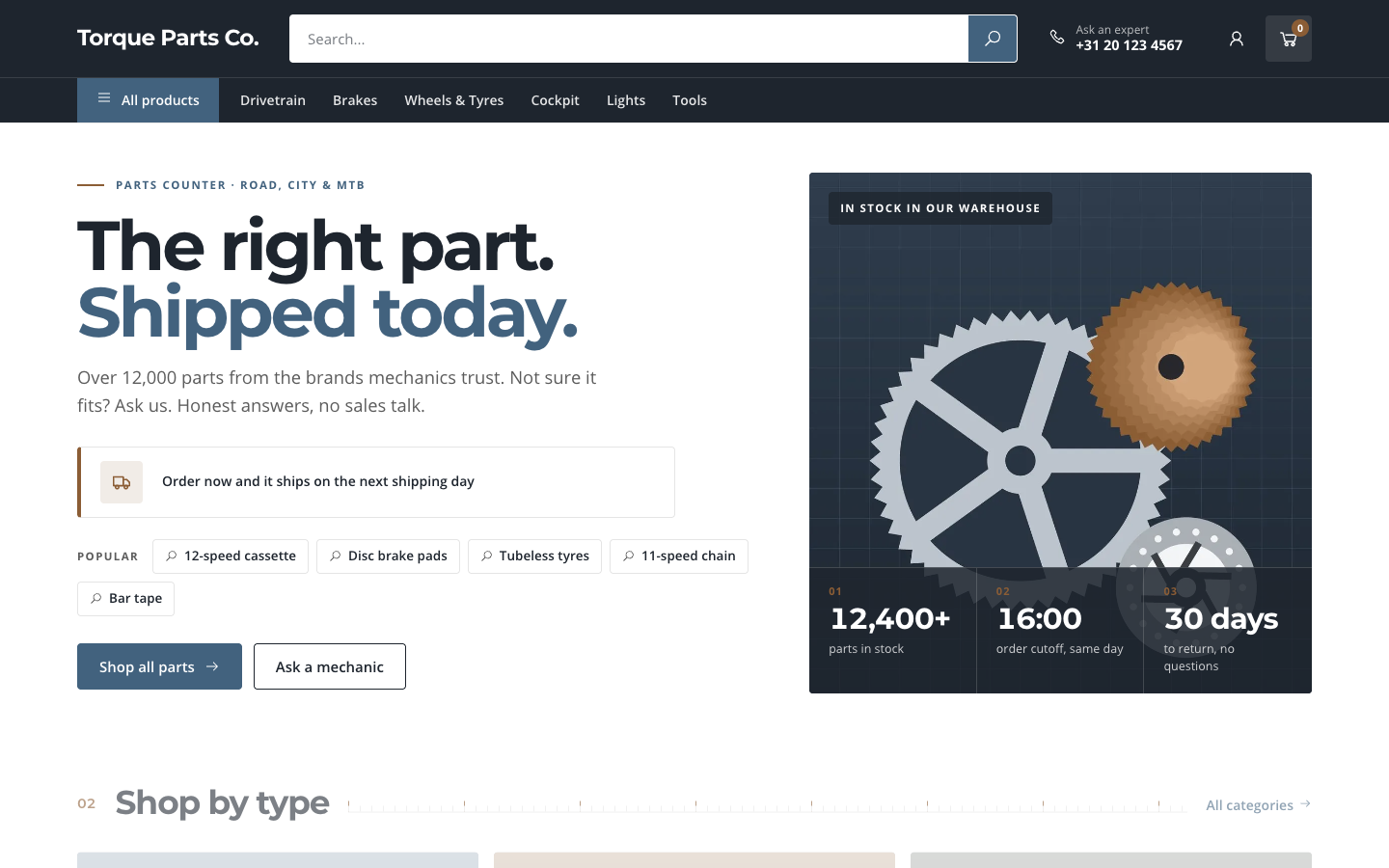
A search-first catalogue theme for parts and spares web shops
Gearbox
New
Free
A search-first catalogue theme for parts and spares web shops
-
 Kickstand
New
Free
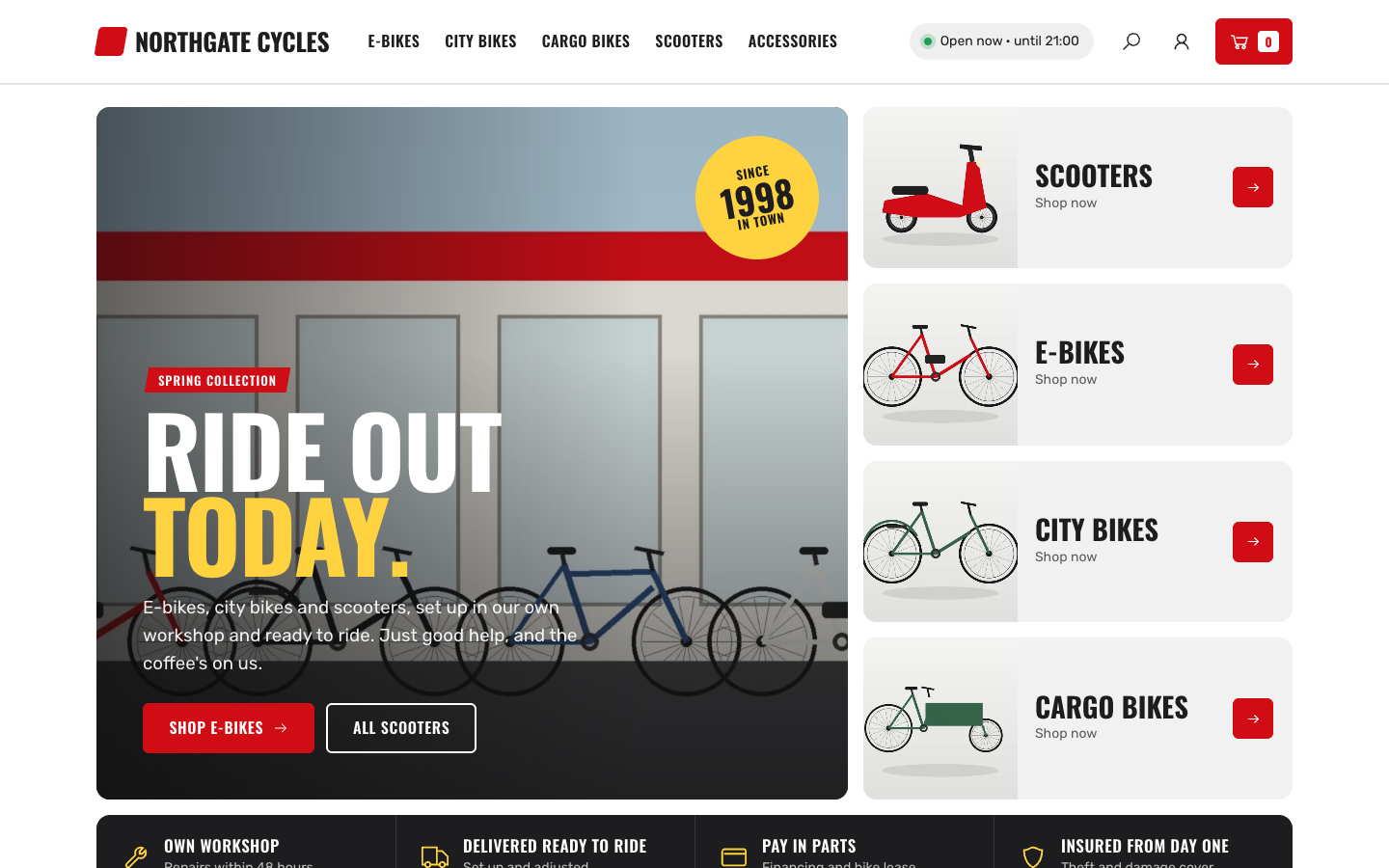
Bold showroom theme for bike, e-bike and scooter shops with a workshop
Kickstand
New
Free
Bold showroom theme for bike, e-bike and scooter shops with a workshop
-
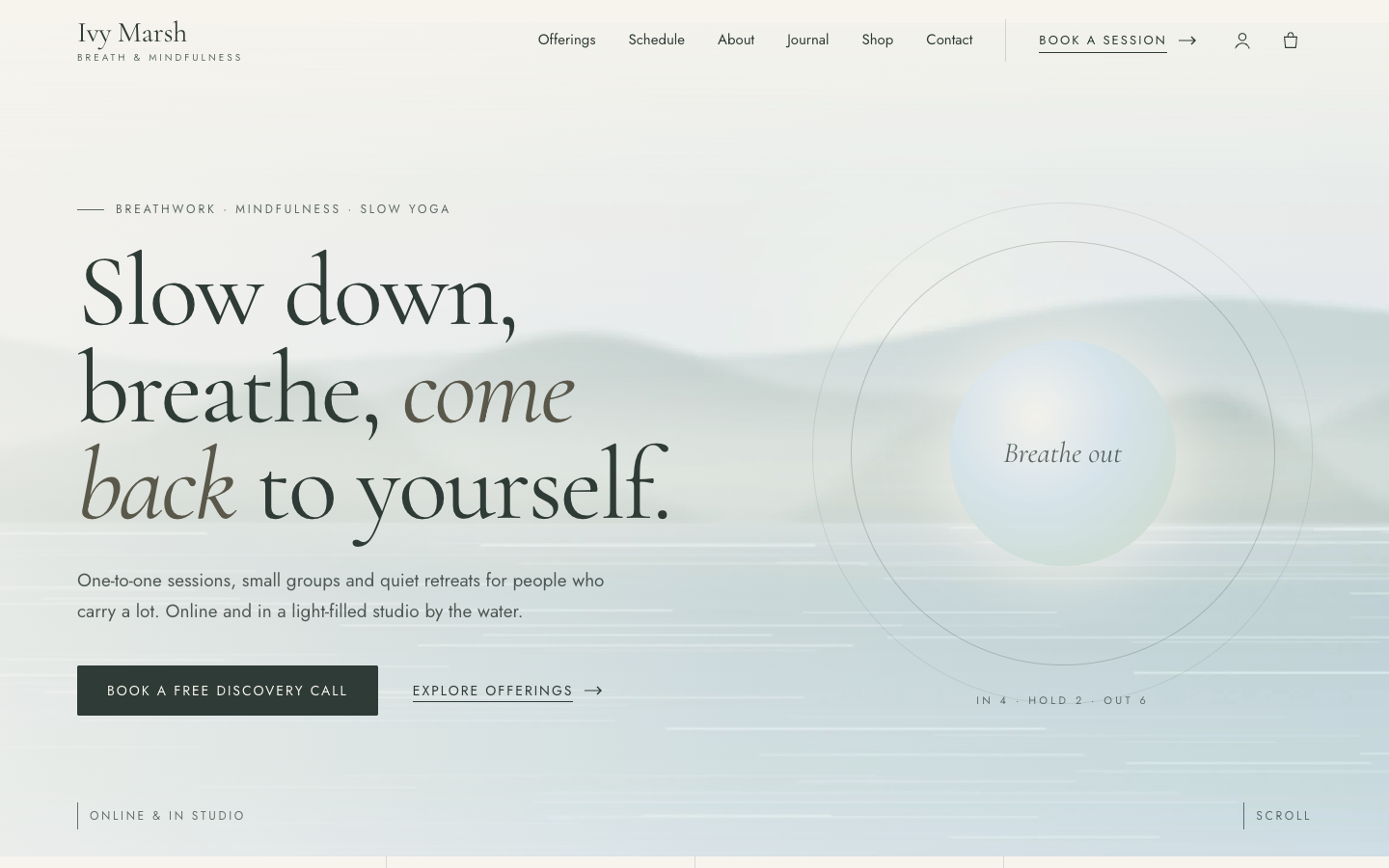 Stillwater
New
Free
Calm editorial theme for breathwork, mindfulness and yoga coaches
Stillwater
New
Free
Calm editorial theme for breathwork, mindfulness and yoga coaches
Pick a theme and launch your site today
Try SitePack free, choose a design and switch whenever you like.