Ample Free
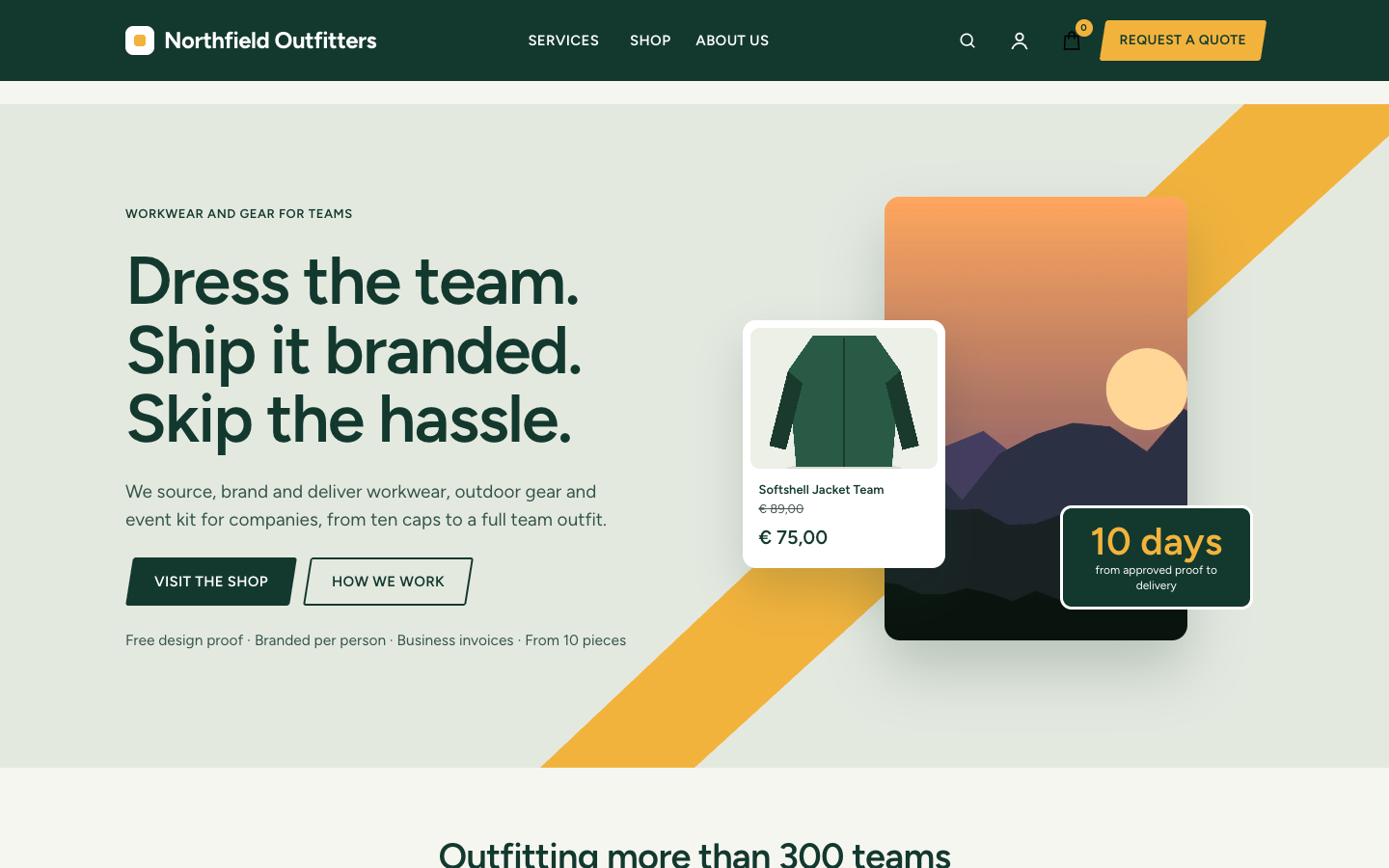
Ample gives a company a calm, confident site in business green with a shop built in. Switch the online store on and the same home page starts selling.
About this theme
Ample is made for companies that sell services, products or both: suppliers, installers, studios, wholesalers and shops with an advice desk. One home page works as a company site and as a web shop. With the online store off it presents your services, your numbers and your team; switch the store on and products, categories and a floating product card in the hero appear by themselves.
The home page has fourteen sections you order and switch off with one list: a hero with a diagonal accent band, a portrait photo and a key figure, customer logos, three key numbers, popular products, three pillars on a dark band, category tiles, your USPs, an about block, reviews with your review score, the latest blog posts, upcoming events, frequently asked questions with structured data, a short contact form and a closing band with your newsletter sign-up. Every section hides itself when it has nothing to show.
The shop pages are complete: category pages with filters, product pages with options and variants, the cart, the customer account and search. A separate quote page template turns requests into leads in three short steps, with topic chips you choose yourself.
You control the look: every colour, the corner radius, the page width, the section spacing, the fonts and the button shape (slanted, straight or pill). The dark header, the main button in your accent colour and the phone action bar with call and quote buttons keep visitors one tap away from getting in touch.
Key features
- Company site and web shop in one The shop sections, header cart and hero product card appear as soon as you switch the online store on.
- Fourteen home sections you can reorder Set the order with one list and leave a section out to hide it; empty sections hide themselves.
- Quote requests stored as leads The quote page and the home contact form send requests to you and save them as leads.
- Slanted, straight or pill buttons One setting changes the shape of every button on the site.
- Complete shop pages Category filters, product options and variants, cart, account and search are all styled.
- Every colour is yours Background, sand surface, header, buttons, accent, dark bands and tints are all settings.
Fully in your own brand
The colours in the examples are only a starting point. In the editor you set your own colours, fonts and logo, and they carry through to every page of the theme.
How to set it up
Ample is ready in a few steps. Every field is optional, so you can start small and fill in more later.
- Pick the home template Open your home page and choose the template Home (Ample). Fill in the hero and the sections you want.
- Add your main button Add your quote or contact page to the main menu and mark it as a button.
- Add a location Add a location with a phone number so the call button and the closing band can use it.
- Add your USPs Add up to four USPs with an icon; they appear as a row on the home page and on product pages.
- Set your colours Choose your colours, corner radius and button shape in the design settings.
Frequently asked questions
Can I use Ample without a web shop?
Yes. With the online store off, Ample is a company site: the shop sections, the hero product card and the header cart simply do not show.
How do I set the main button in the header?
Mark one menu item as a button. It becomes the accent button in the header, the phone menu and the phone action bar.
Can I change the order of the home page sections?
Yes. The home template has a sections list: put the section keys in the order you want and leave one out to hide it.
Where do quote requests go?
Requests from the quote page and the home contact form are emailed to you and stored as leads in SitePack.
Which fonts does Ample use?
It is drawn for Figtree for headings and body text. You can pick other fonts in the design settings; Manrope works well too.
-
 Aisle
New
Free
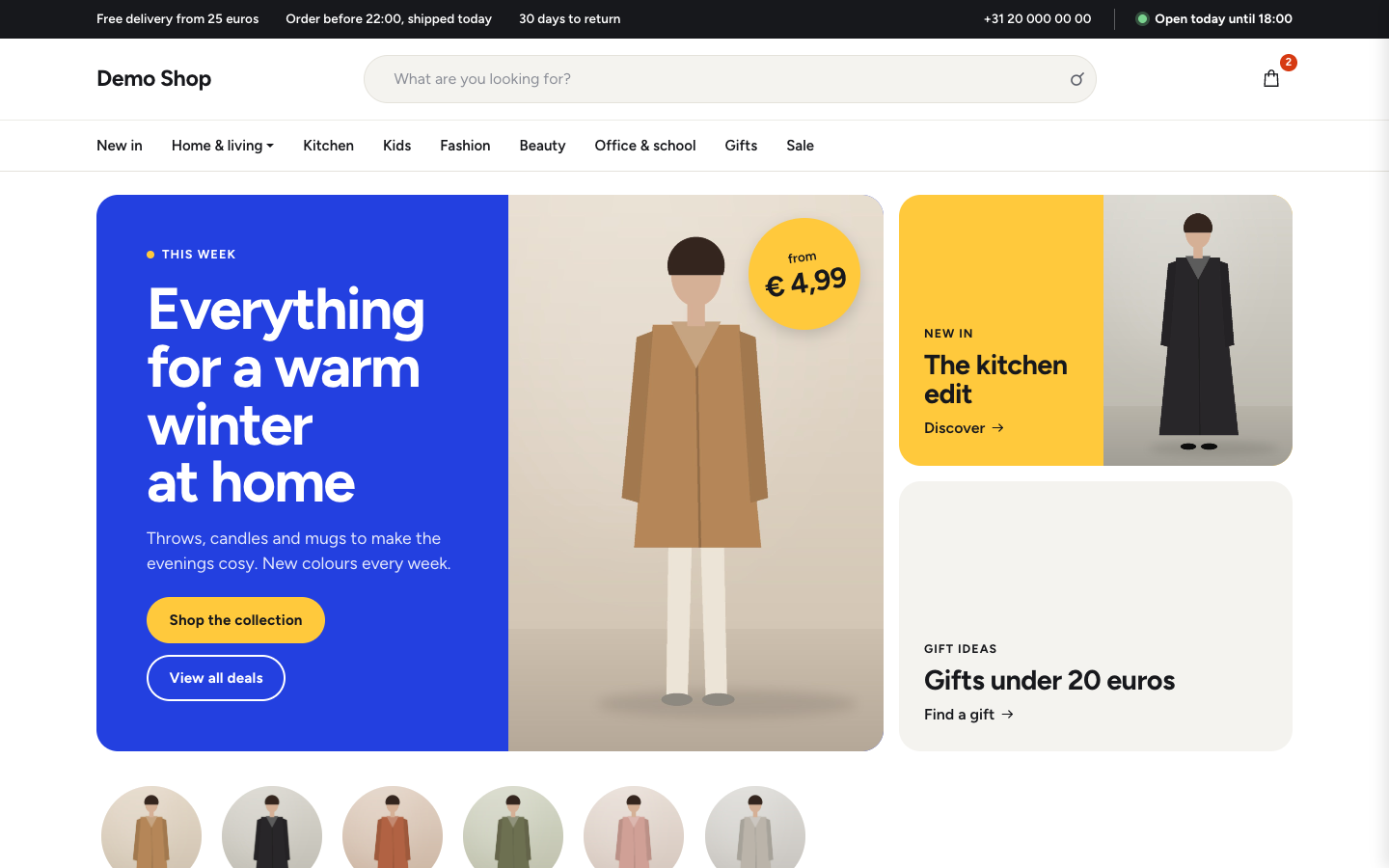
Bright department store theme for web shops with a broad range
-
 Aurora
New
Free
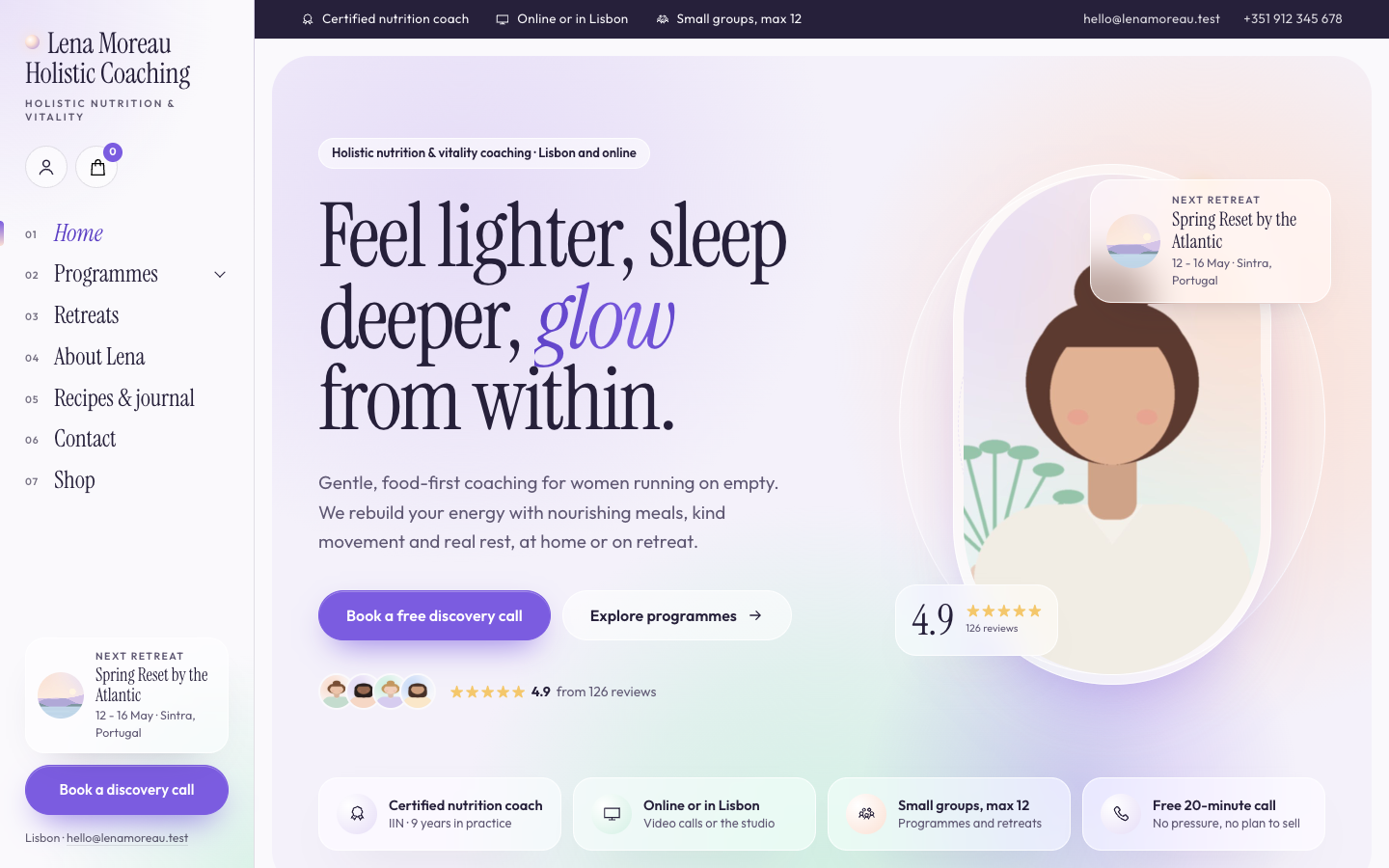
A luminous, dreamy theme for holistic and vitality coaches who host retreats
-
 Bloom
New
Free
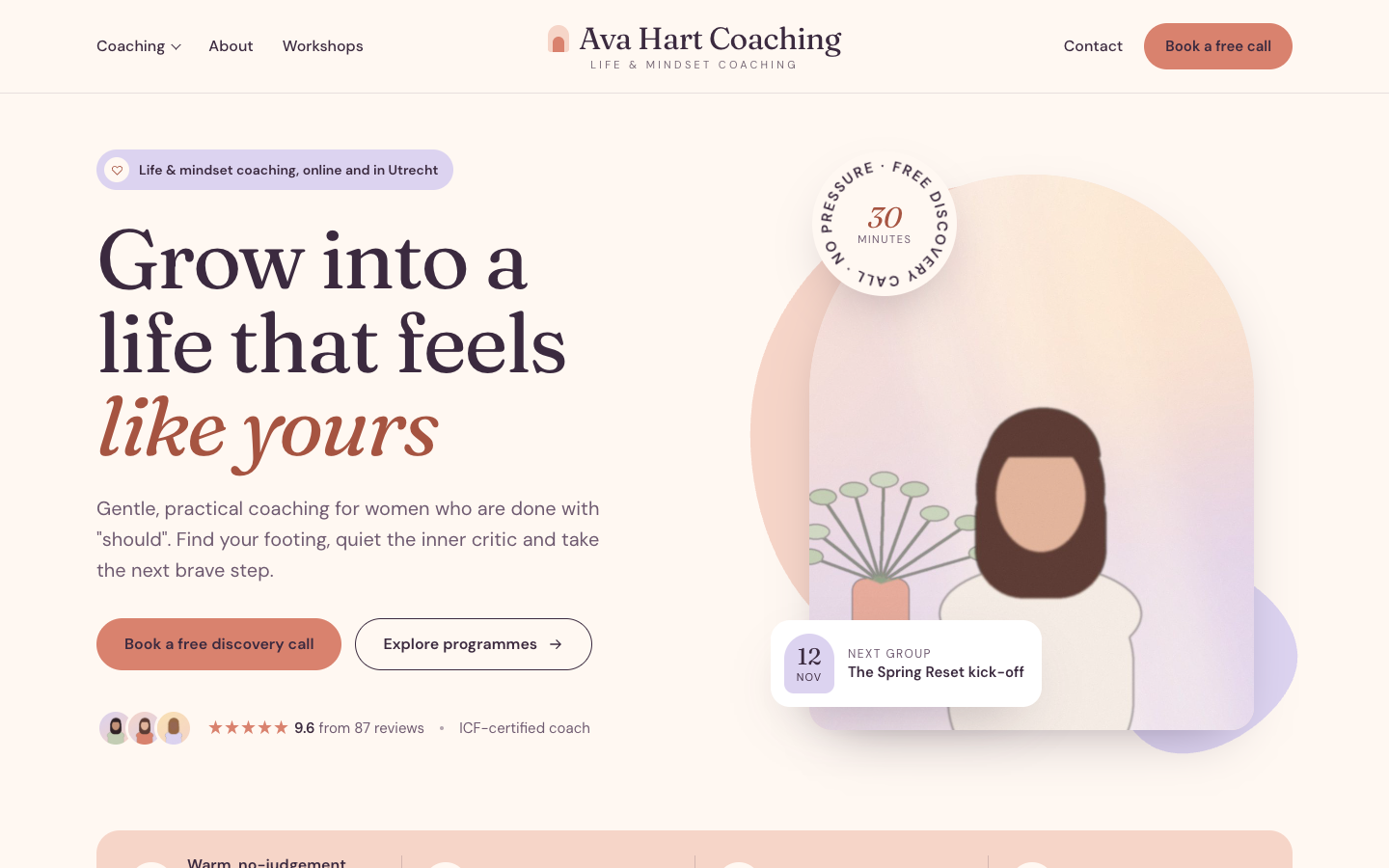
A warm, pastel website theme for life and mindset coaches
-
 Clarity
New
Free
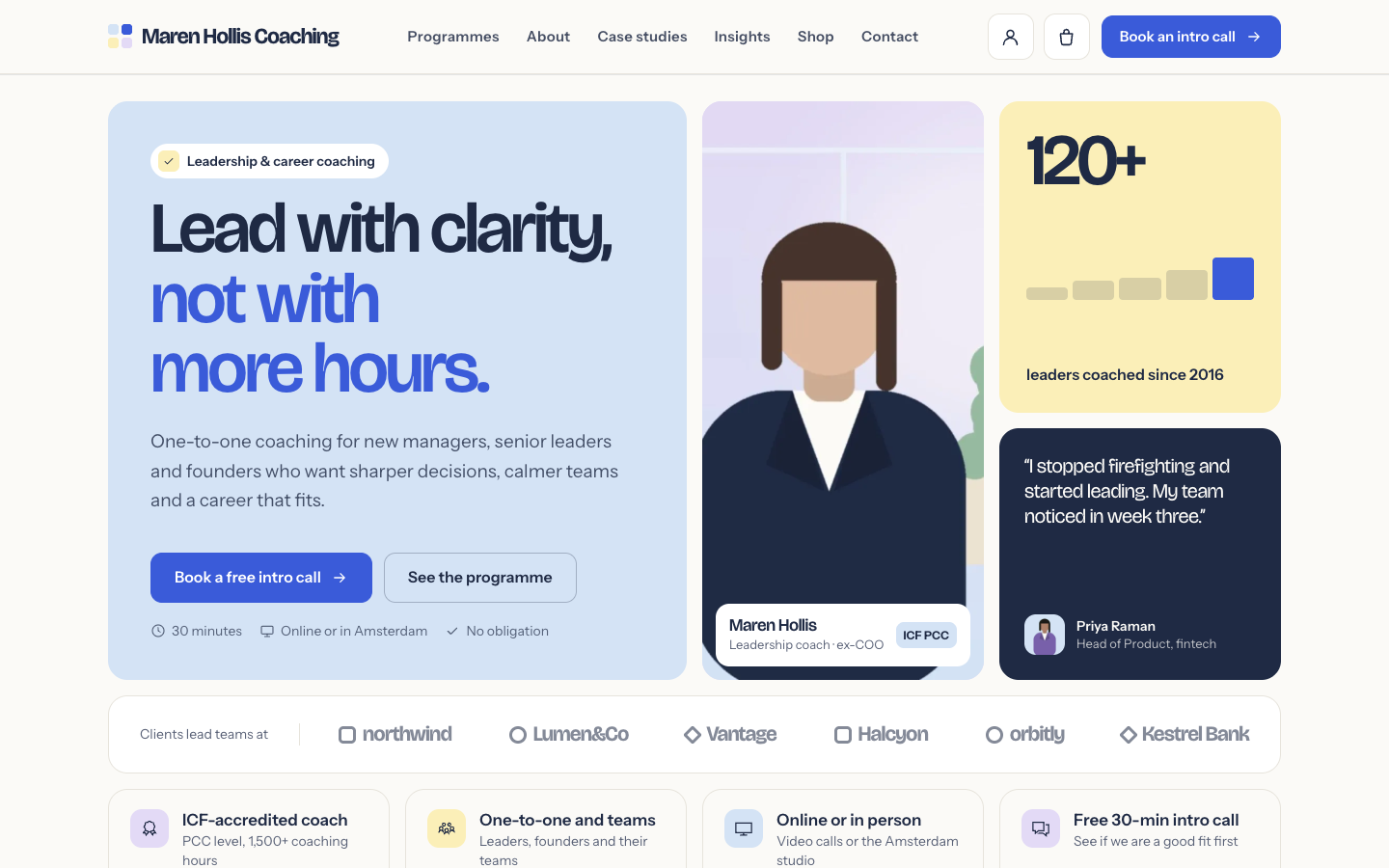
A structured bento theme for career, leadership and business coaches
Pick a theme and launch your site today
Try SitePack free, choose a design and switch whenever you like.