Sash Free
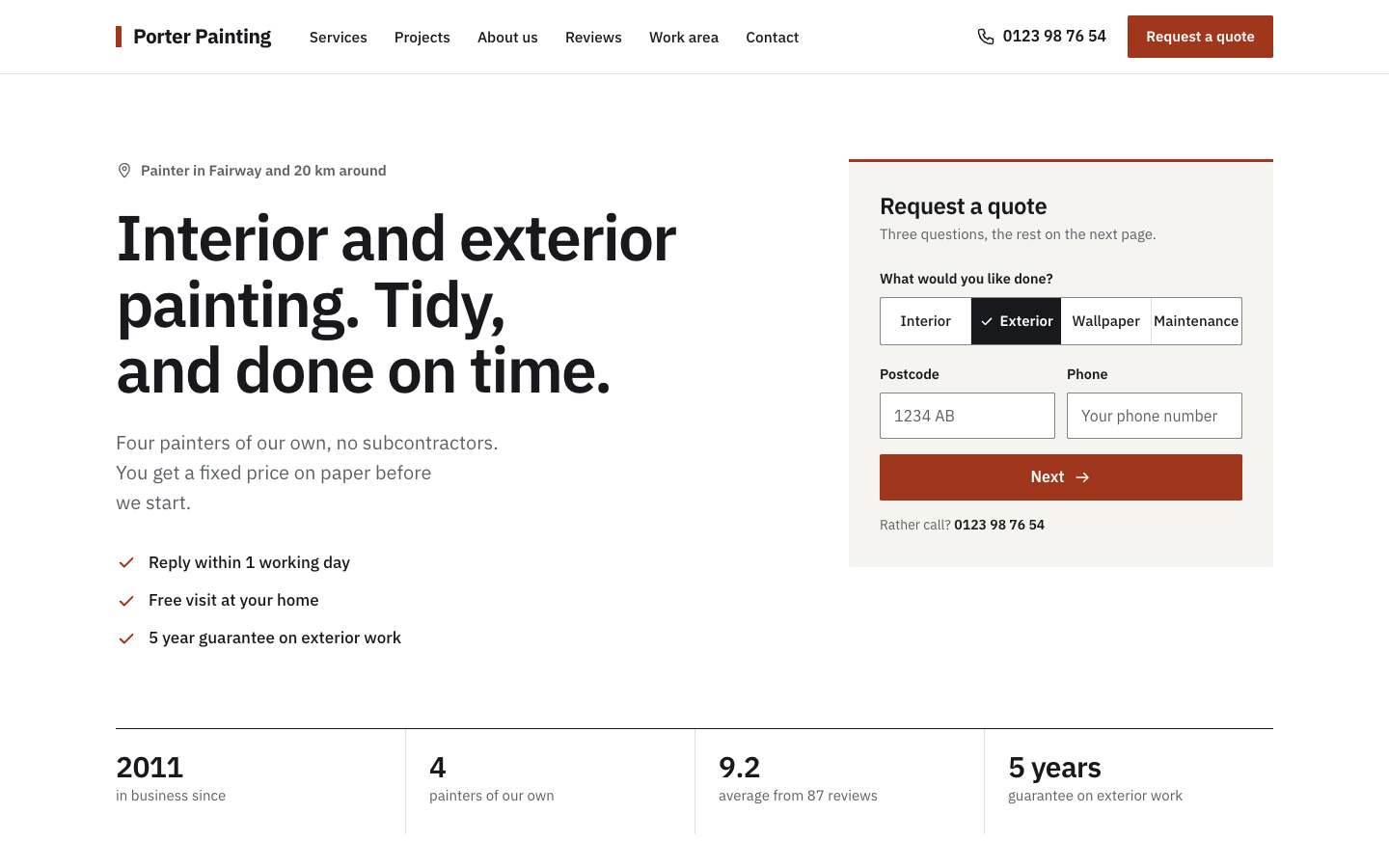
Sash is the no-nonsense theme for painters who want quote requests, not decoration. The quote form sits in the first screen, and every page reads like a tidy written quote: thin rules, a label column and clear rows.
About this theme
Sash is made for painting and decorating companies of one to twenty-five people: interior and exterior painting, wallpapering and maintenance. It answers the three things a visitor wants to know, in that order: can you do my job, does your work look good, and how do I get a price. The look is calm and square: white, near-black and one oxide red for buttons and links, one sans-serif font, no cards, no shadows, no illustrations.
The home page opens with type only: a short headline, one line of text, three ticks and a row of four numbers. Next to it is a start form with three questions (kind of work, postcode, phone). Next takes the visitor to your quote page with those answers already filled in. You do not need a hero photo, which helps when your best pictures were taken with a phone.
Below the hero, every section follows the same written-quote layout: services as spec rows with one fact in bold and a quote link, your latest projects with a before and after toggle, an about section with one photo, a facts list and your quality marks, three reviews next to your score, your work area as a list of places with distances plus a postcode check, and a closing quote band with three steps and a short form. You choose the order, and every section can be hidden.
The quote page asks What, Where and Your details in three numbered rows, with a side column showing what happens next, your phone number and e-mail, and your review score. Requests reach you by e-mail and are stored as leads. The projects come from the free Portfolio app: an overview with a tab per kind of work and a detail page with facts, the before and after pair side by side, the story, a client quote and a photo gallery.
Most painters only change the brand colour. All colours, the corner radius, the page width and the section spacing are settings, and every text is a field with a sensible default. On phones a bar with Call and Request a quote stays at the bottom of the screen.
Key features
- Quote form in the first screen Three questions next to the headline; Next opens your quote page with the answers filled in, so visitors start before they scroll.
- Written-quote layout Every section is a strong rule, a label column and rows separated by hairlines, so the site looks credible with very little content.
- Before and after toggle Each project photo gets a Before and After button; one tap swaps the picture, and the detail page shows both side by side.
- Projects from the Portfolio app Add finished jobs in the free Portfolio app and they appear on the home page, in a filterable overview and on their own detail page.
- Work area with postcode check List the places you cover with their distance and the postcode beginnings you serve; visitors check their postcode in one step.
- Set up in an hour One brand colour, one font and a handful of short fields. Phone photos of finished work line up neatly in fixed 4:3 frames.
Fully in your own brand
The colours in the examples are only a starting point. In the editor you set your own colours, fonts and logo, and they carry through to every page of the theme.
How to set it up
Sash needs little more than your texts and a few photos of finished work. These steps take about an hour and make every button lead to your quote page.
- Assign the home template Open the home page, choose the Home (Sash) template and fill in the hero, the three ticks, the facts row and your services.
- Create the quote page Add a page, choose the Offerte (Sash) template, write the line under the title and the three steps of what happens next.
- Add the quote button Create a menu item to your quote page and set it to display as a button. It becomes the header button and the button in the phone bar.
- Add your projects Open the Portfolio app, which is installed with the theme, and add a few finished jobs with a kind of work, place and before and after photos.
- Add about, reviews and work area Fill in your story, facts and quality marks, three client quotes, and the places and postcodes you cover. Add your location so your phone number shows.
Frequently asked questions
Do I need to install the Portfolio app myself?
No. The free Portfolio app is installed automatically when you activate Sash. Add your finished jobs there with a cover photo and, if you have them, a before and an after photo. They show up on the home page and in the projects overview.
What happens when a visitor fills in the start form on the home page?
Nothing is sent yet. Next opens your quote page with the kind of work, postcode and phone number already filled in, so each visitor sends one complete request instead of two half ones.
Where do quote requests end up?
You receive every request by e-mail and it is also stored as a lead in SitePack, from the quote page as well as from the short form at the bottom of the home page.
Do I need good photos to use Sash?
No. The hero is text and a form, so it needs no photo at all. Project photos sit in fixed 4:3 frames, so tilted or oddly sized phone pictures still line up in the grid.
Can I change the kinds of work and the order of the sections?
Yes. The kinds of work in the forms are a list field (by default Interior, Exterior, Wallpaper and Maintenance), and a section order field sets which home sections show and in what order.
Can I sell products with Sash?
No. Sash is a website theme for quote requests and has no shop pages. It works on any website plan.
-
 Clarity
New
Free
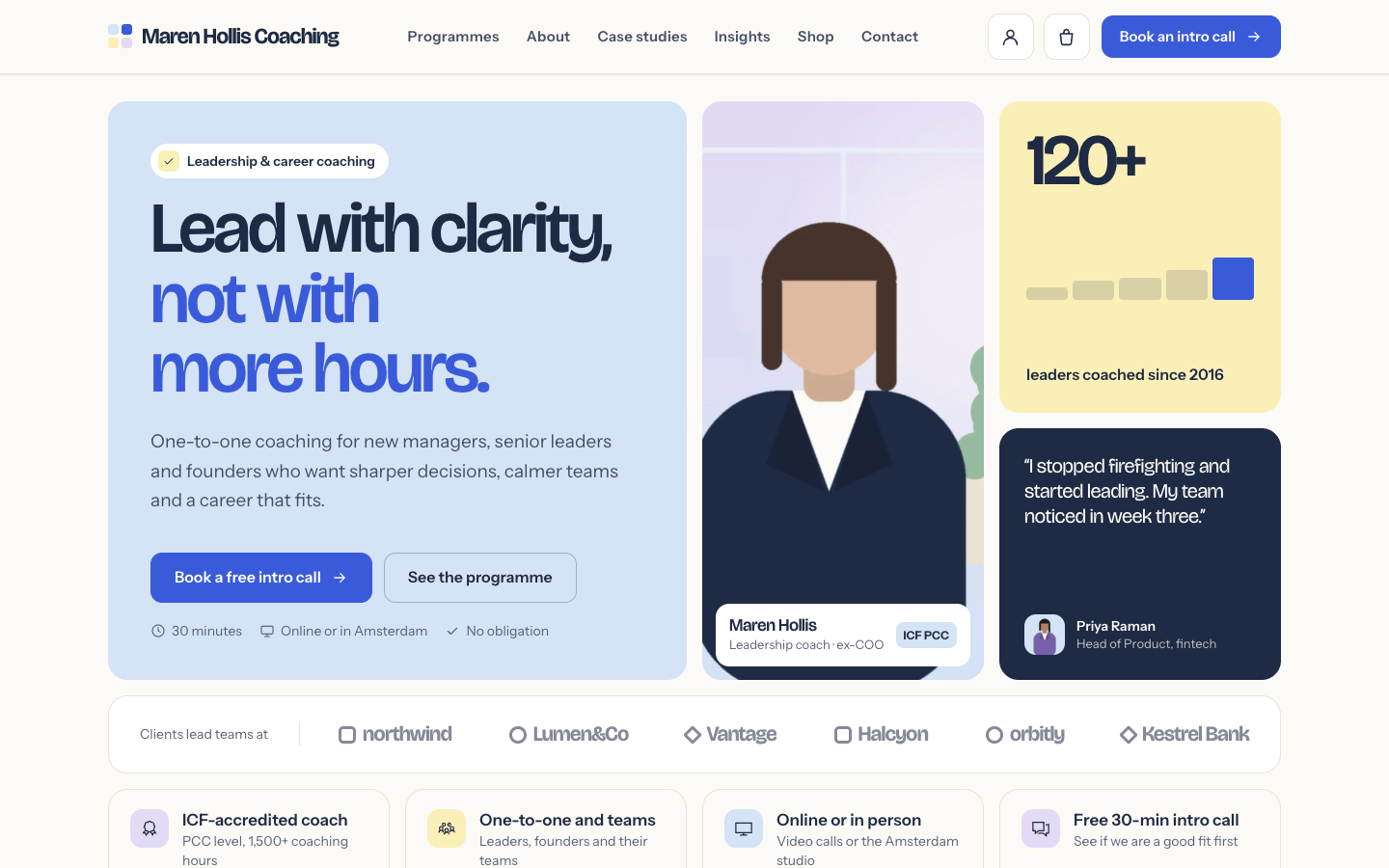
A structured bento theme for career, leadership and business coaches
Clarity
New
Free
A structured bento theme for career, leadership and business coaches
-
 Coat
New
Free
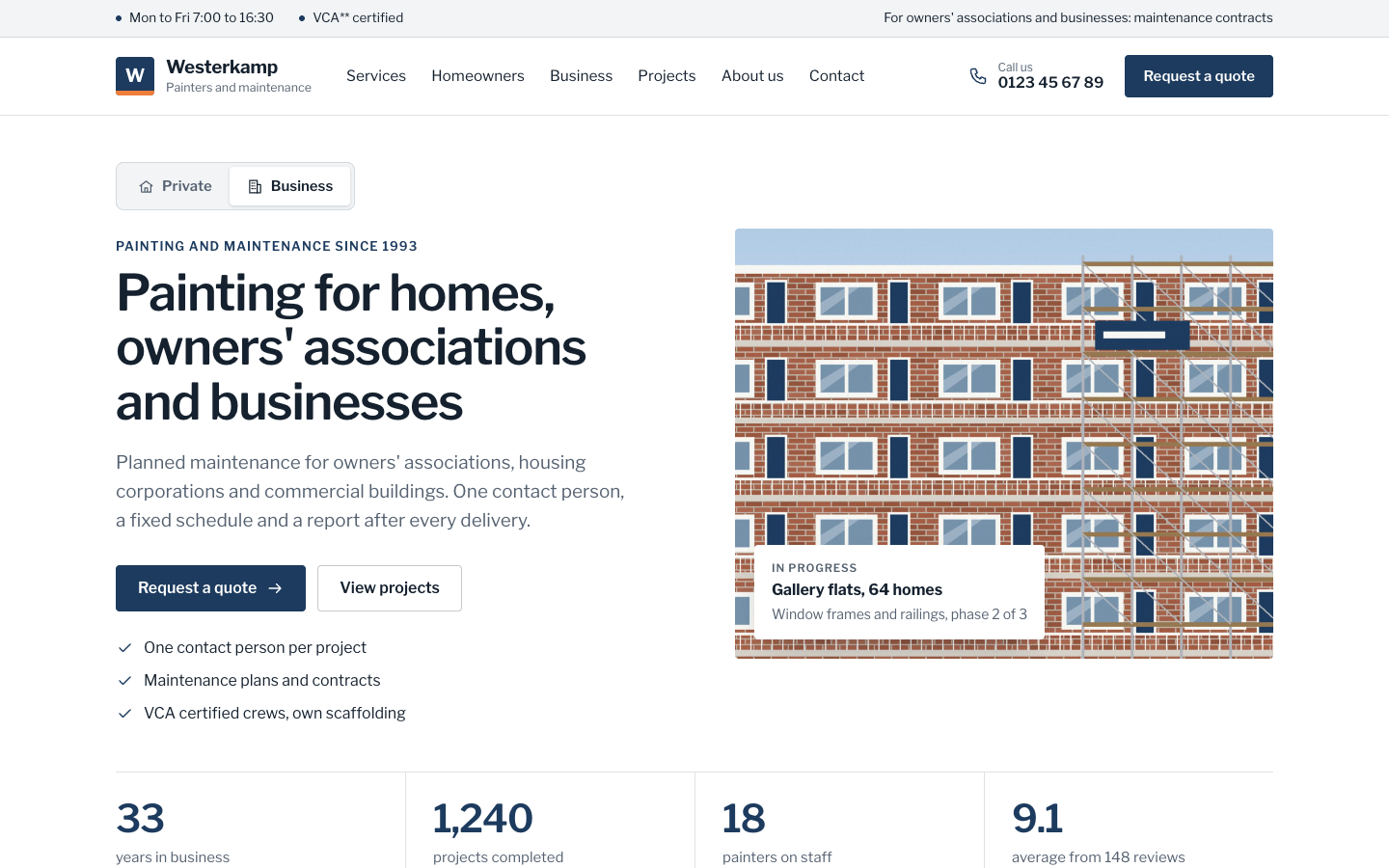
A businesslike theme for painting companies serving homes and organisations
Coat
New
Free
A businesslike theme for painting companies serving homes and organisations
-
 Tint
New
Free
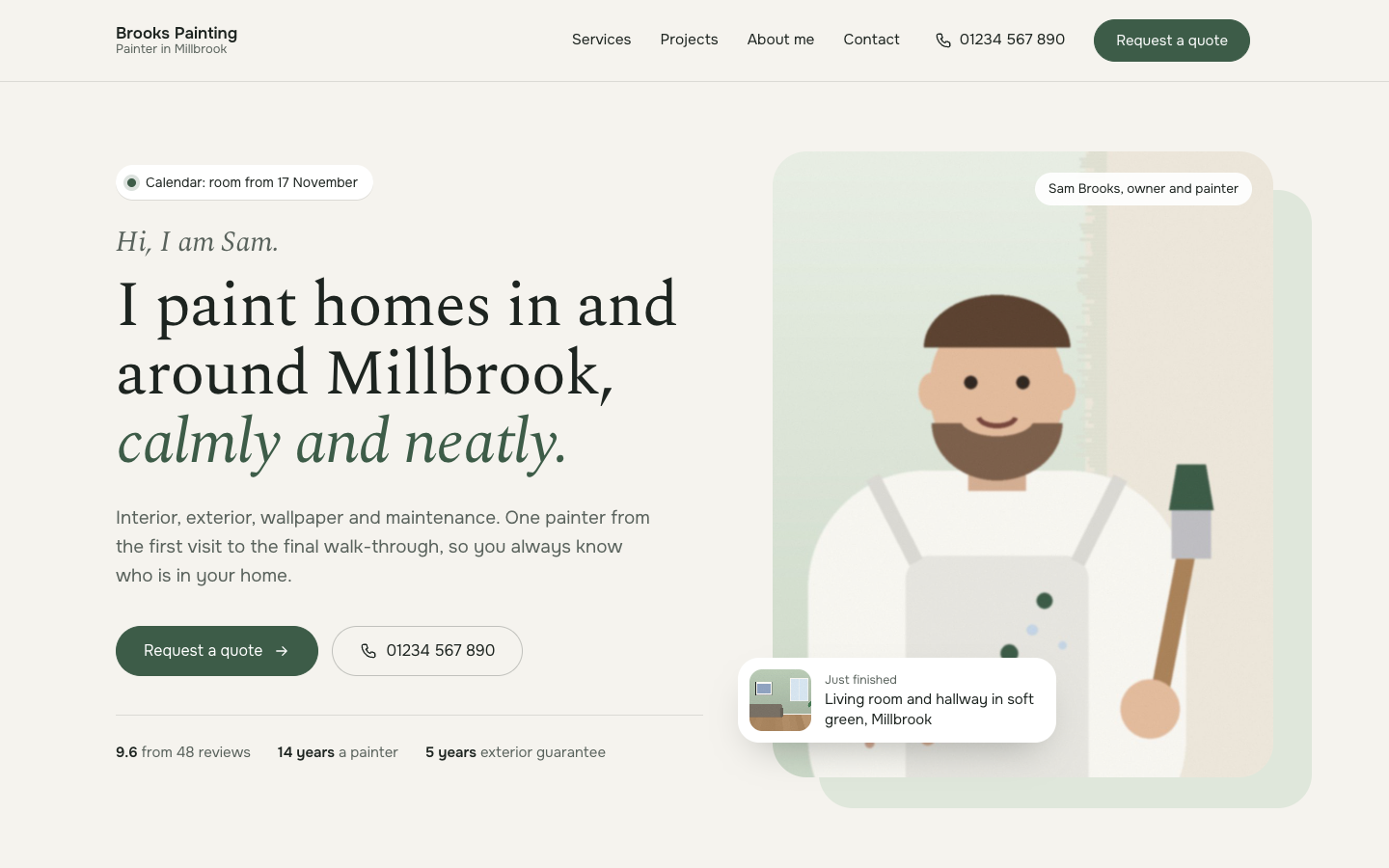
A calm, personal website theme for painters who work on their own
Tint
New
Free
A calm, personal website theme for painters who work on their own
-
 Trim
New
Free
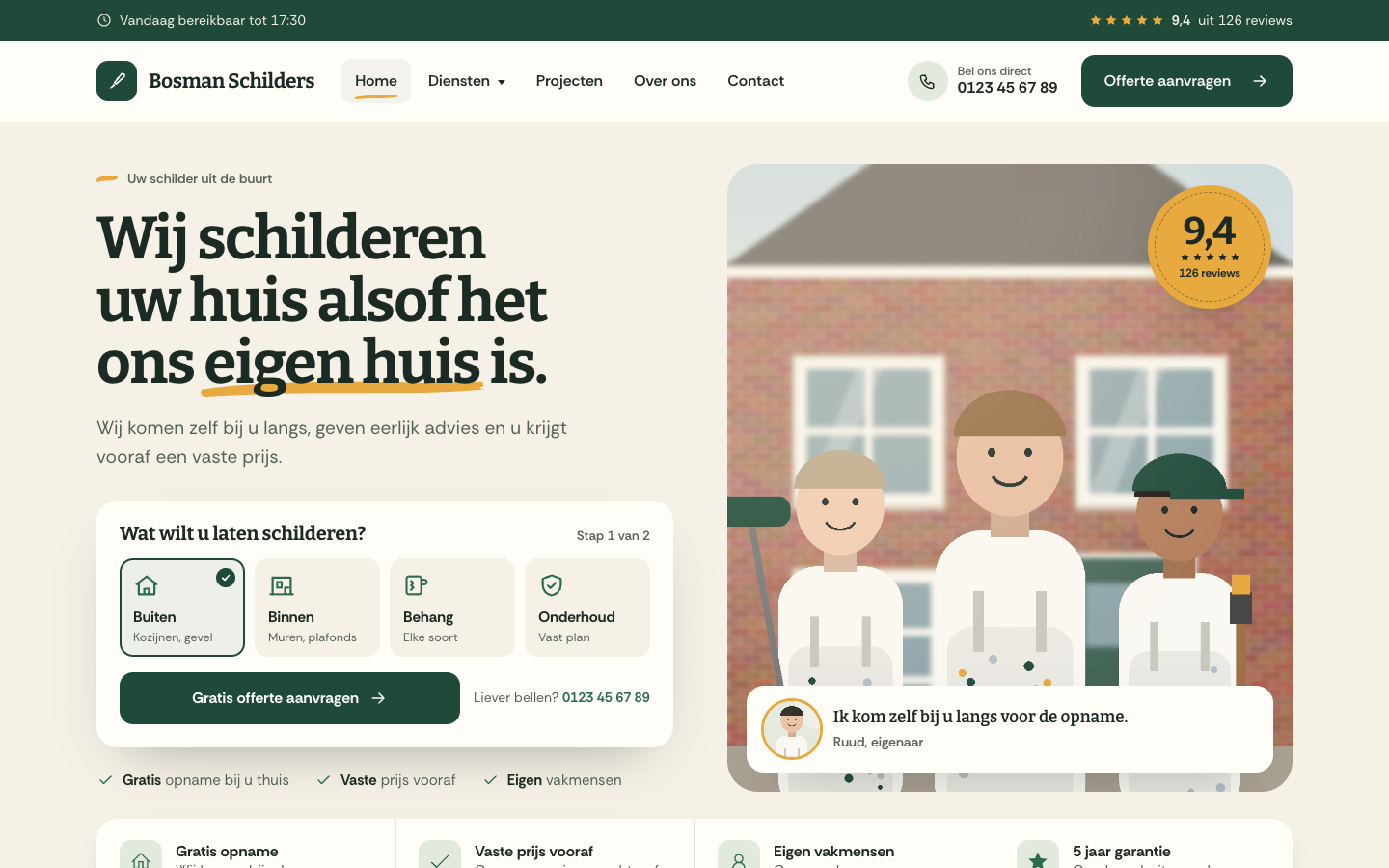
A warm, people-first website theme for local house painters
Trim
New
Free
A warm, people-first website theme for local house painters
Pick a theme and launch your site today
Try SitePack free, choose a design and switch whenever you like.