Kindred Free
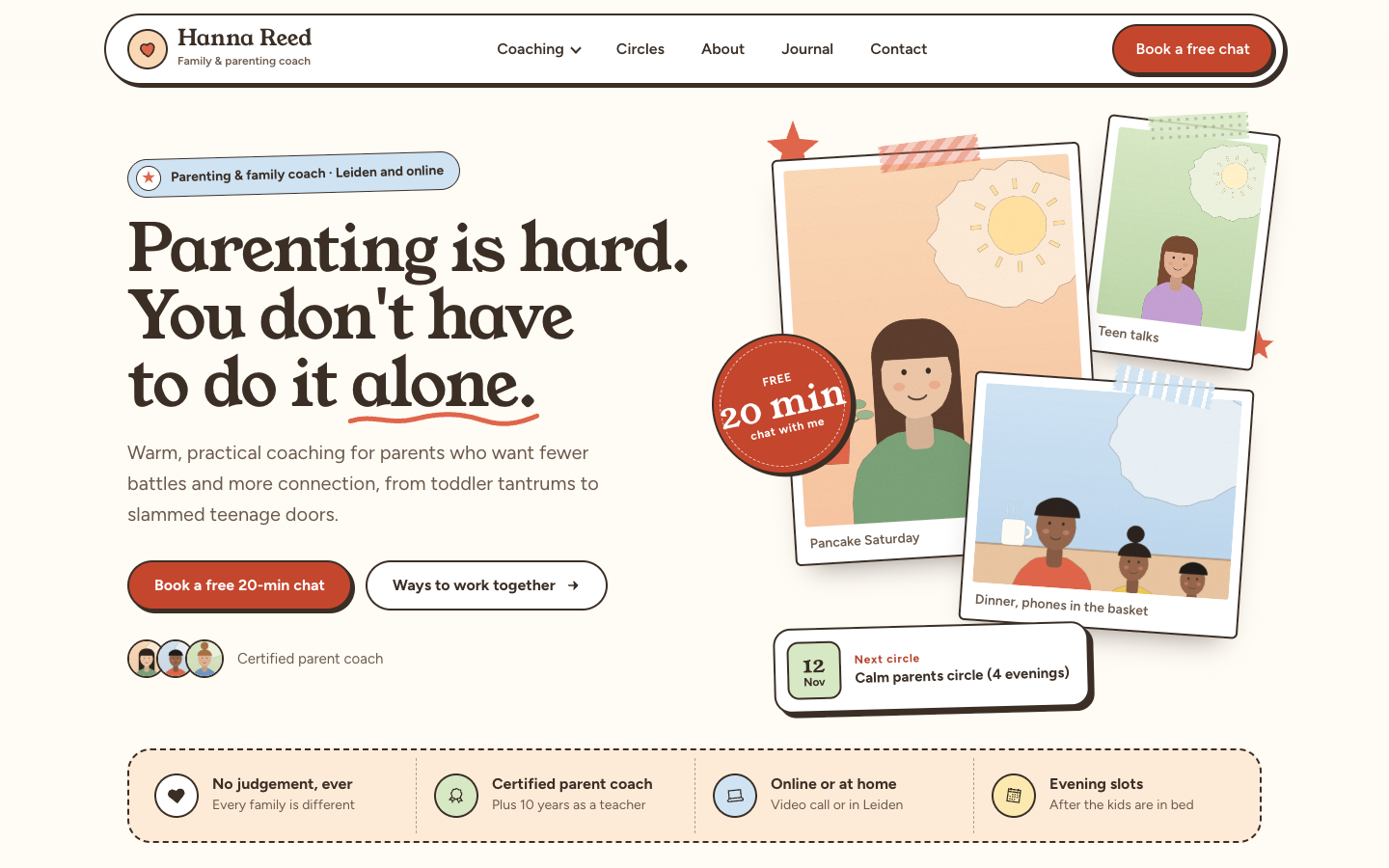
Kindred is a playful, scrapbook style theme for parenting, family, couples and teen coaches who run 1:1 sessions, parent circles and workshops. Every page leads to a free intro chat, and an optional shop sells your workbooks, card decks, courses and vouchers.
About this theme
Kindred is made for coaches who work with tired parents, co-parents and teenagers: 1:1 parent coaching, couples and co-parenting sessions, teen coaching, small parent circles and one-off workshops. It feels handmade and friendly, with taped polaroid photos, sticky notes, round stickers, a hand-drawn squiggle under one key word per heading and cards with a bold outline and a hard offset shadow. Warm and upbeat, never childish.
The home page opens with a floating pill header, a hero with two buttons, a trust line with your review score and a collage of up to three taped polaroids, plus a card for your next circle. Below it come your selling points on a stitched band, a "sound familiar?" block with the struggles parents recognise, up to three service cards with chips and a price, a three step approach, testimonials as sticky notes, your upcoming events as tickets with a date stub and an online or in person label, a free guide with your newsletter form, your latest blog posts, an about section with fun facts and a booking band with your address and call hours. You choose the order, and any section can be hidden.
The booking button is a menu item you mark as a button: it becomes the bright pill in the header, and on phones a sticky booking bar at the bottom of the screen keeps your booking link in reach. Content pages, blog posts and the contact form share the same paper-craft look, with outlined form fields and clear success and error messages.
The shop is optional. With the online store switched on, Kindred adds a cart button to the header, a product row to the home page and styled product, category, cart and account pages: a polaroid gallery, an outlined buy box with variant pills and a cart drawer that feels like a sheet of paper. With the store off, none of it shows and every button leads to your booking link.
Everything comes from your own SitePack data: selling points, events, blog posts, locations, review score and newsletter. Texts, services, testimonials and photos are fields you fill in. Every colour, including the four pastel tints, plus corner radius, outline width, shadow offset and page width are settings, and a single switch turns the tilted scrapbook look off for a straighter style.
Key features
- Scrapbook look Taped polaroids, stickers, doodles and outlined cards give your site a warm, handmade feel that parents remember.
- Booking first A menu item marked as a button becomes the booking pill in the header, and a sticky booking bar keeps it in reach on phones.
- Circles as tickets Upcoming circles and workshops appear as tickets with the date, time, place and an online or in person label.
- Sticky note testimonials Show up to four client quotes as colourful sticky notes next to your review score.
- Optional shop Switch on the online store to sell workbooks, card decks, courses and vouchers in the same look.
- Every colour is yours All colours, the four pastel tints, outline, shadow, corner radius and page width are settings.
Fully in your own brand
The colours in the examples are only a starting point. In the editor you set your own colours, fonts and logo, and they carry through to every page of the theme.
How to set it up
Kindred works with the data you already keep in SitePack. These steps make the home page complete.
- Assign the home template Open the home page, choose the Home (Kindred) template and save.
- Write your hero Add the title, the word to underline, your intro text, two buttons with their links and up to three photos with captions.
- Add your services and testimonials Fill in up to three services with chips and a price, the parent struggles you help with and up to four client quotes.
- Add events, location and selling points Create your upcoming circles and workshops as events, fill in your studio address and call hours under Locations, and add four selling points.
- Add a booking button Create a menu item to your booking page and mark it as a button in the navigation editor.
Frequently asked questions
Do I need an online store?
No. Kindred is a website theme first. Without the online store there is no cart and every button leads to your booking link. Switch the store on later and the shop section, product pages and cart appear automatically.
How do I get the Book a free chat button in the header?
Add a menu item that links to your booking page or calendar and mark it as a button in the navigation editor. Kindred shows it as the bright pill in the header, and on phones a sticky booking bar at the bottom of the screen links to your booking page.
Can I change the order of the home page sections?
Yes. The home page template has a section order field: list the sections in the order you want and leave out the ones you want to hide. Sections without content, such as events or blog posts, hide themselves.
Where do the event tickets come from?
From the events you add in SitePack. The home page shows your next three upcoming events, and the hero shows the very next one. Events whose location is an online meeting get an Online label, the others In person.
Can I make the design less playful?
Yes. One switch turns off the tilted polaroids, notes and stickers for a straighter look, and setting the shadow offset to 0px gives softer, flat cards. All colours are settings too.
Which fonts does Kindred use?
Kindred is designed for Young Serif headings with Figtree body text, and new sites start with that pair. You can pick other fonts in your design settings; a soft serif or a rounded sans keeps the character.
-
 Aisle
New
Free
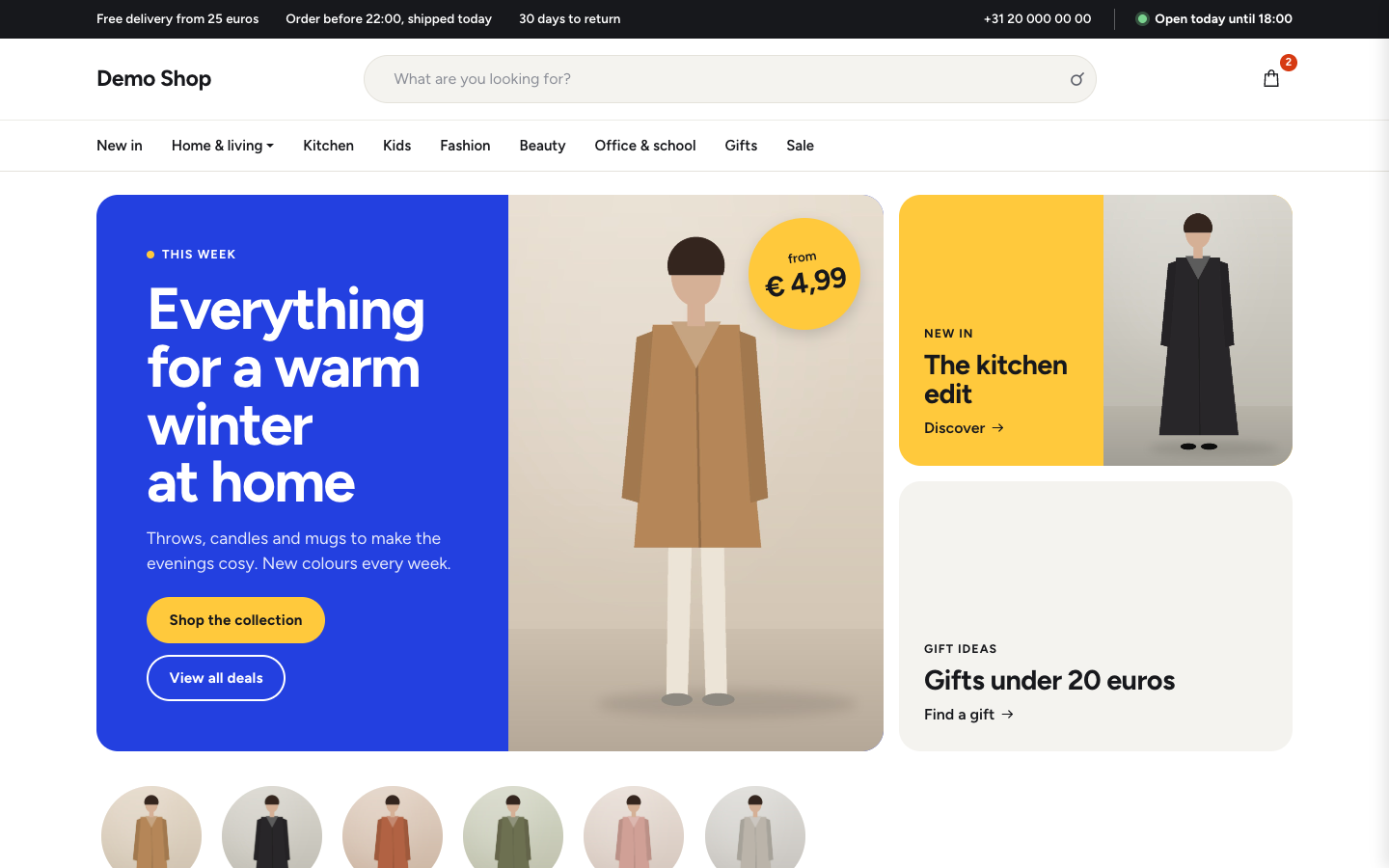
Bright department store theme for web shops with a broad range
-
 Aurora
New
Free
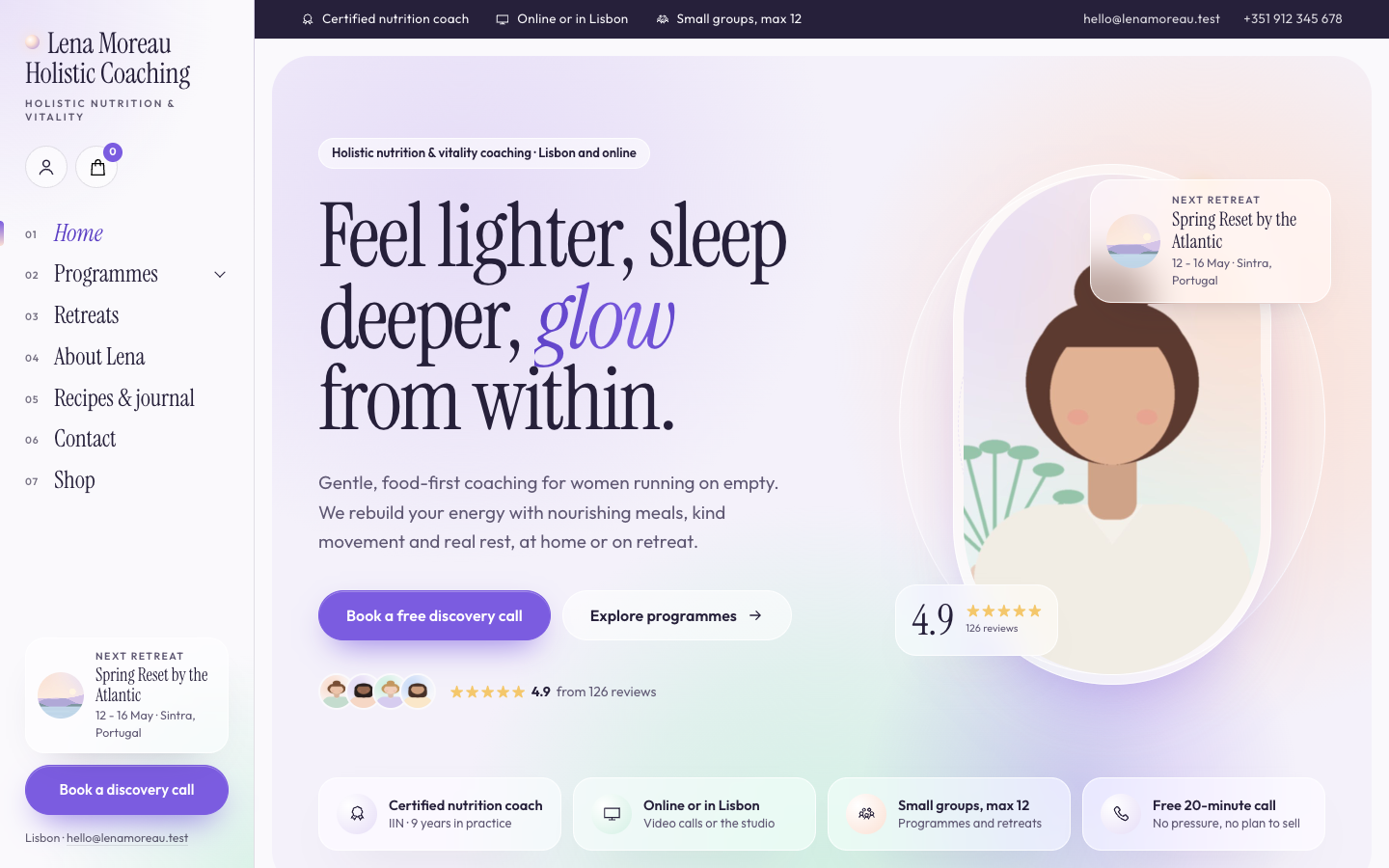
A luminous, dreamy theme for holistic and vitality coaches who host retreats
-
 Bloom
New
Free
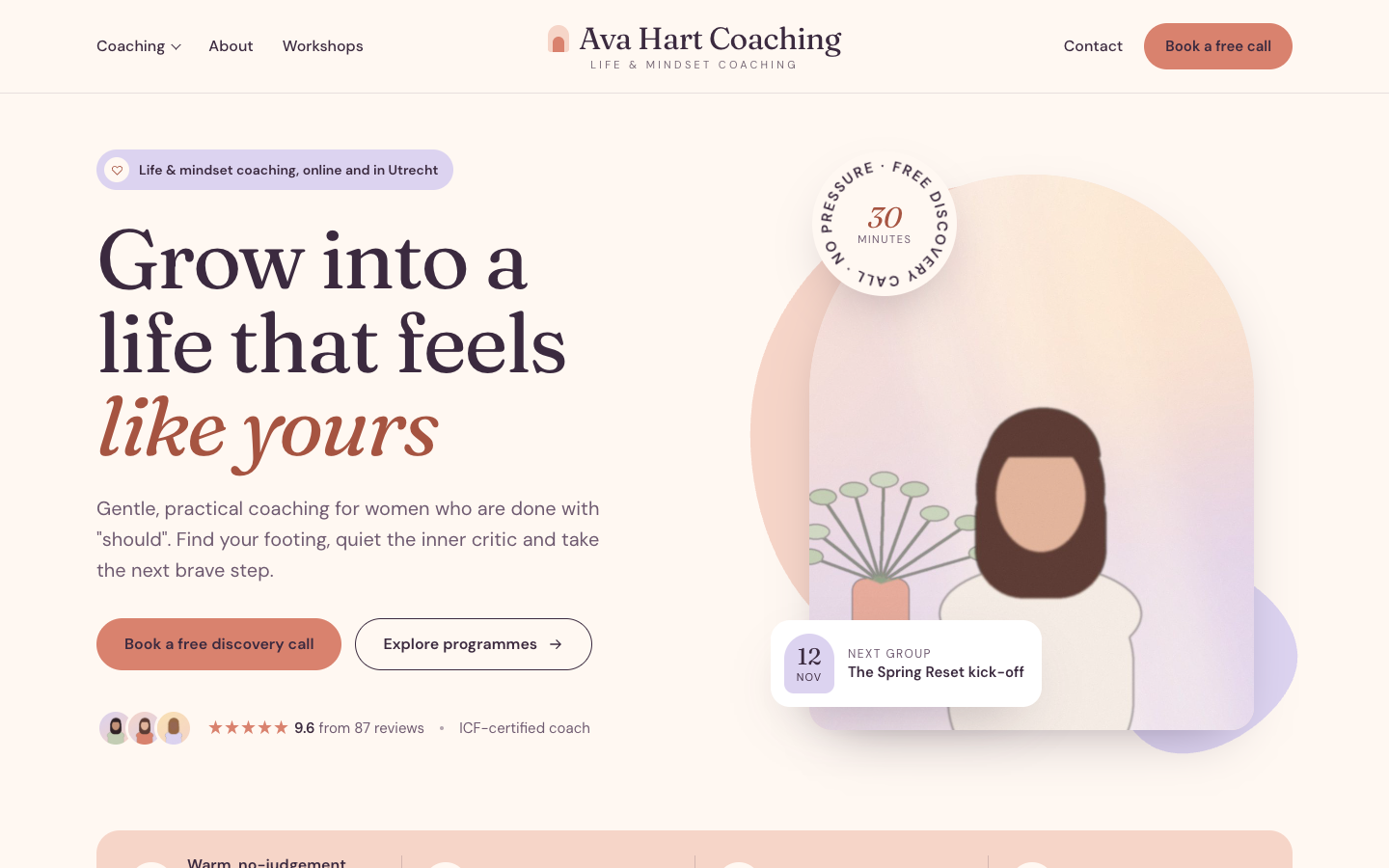
A warm, pastel website theme for life and mindset coaches
-
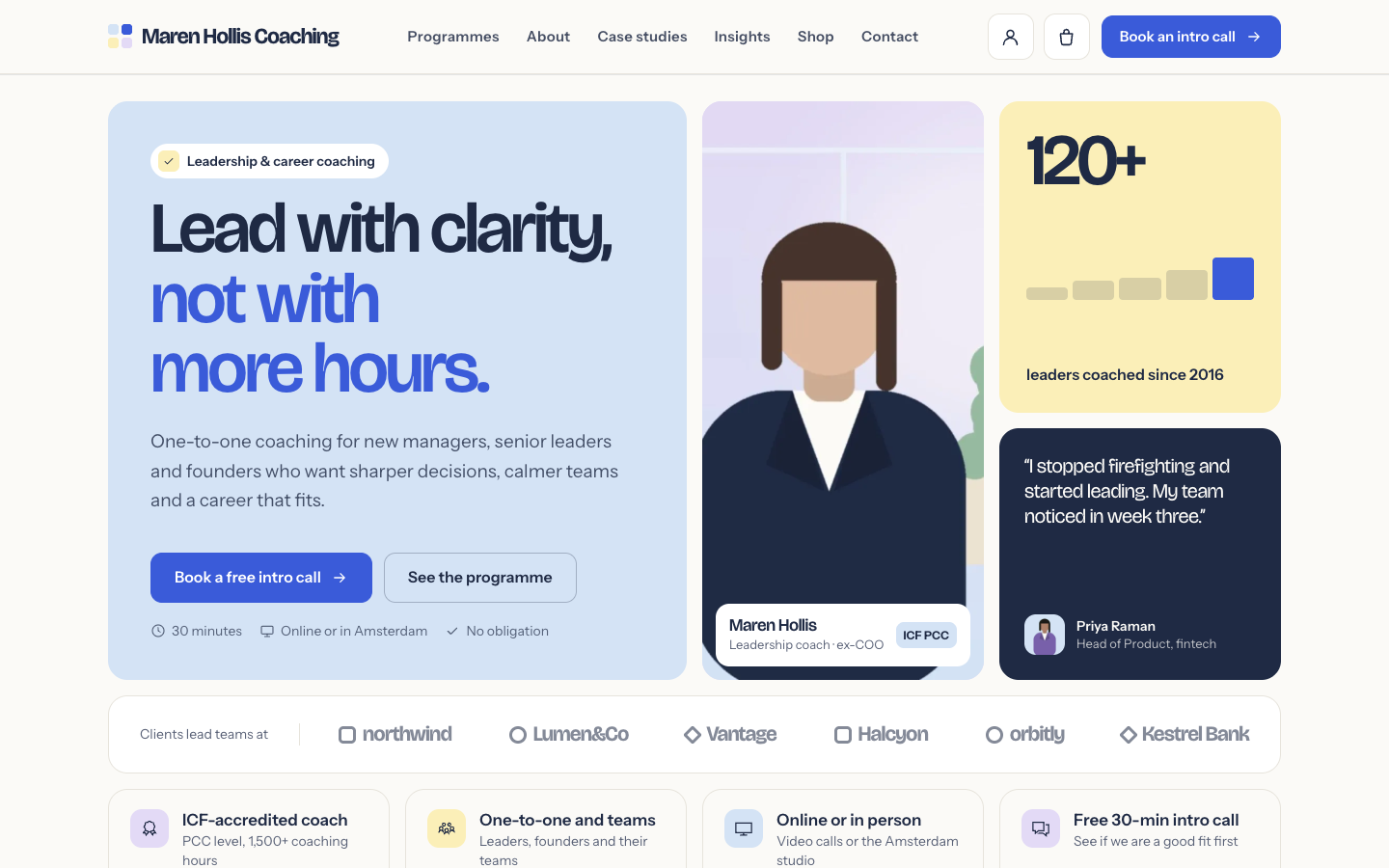 Clarity
New
Free
A structured bento theme for career, leadership and business coaches
Pick a theme and launch your site today
Try SitePack free, choose a design and switch whenever you like.